
Table of Contents
NordVPN Review: This guide looks at how NordVPN performs in daily use, what features stand out, and whether it is worth it.
NordVPN Rating 4.77 / 5.0
Current deals: NordVPN Plus
Pros
• Fast speeds with minimal slowdown on real-world testing
• Strong security with verified no-logs policy
• Clean, intuitive apps on all platforms
• Threat Protection blocks ads and malware even when VPN is off
• Meshnet feature for secure device-to-device connections
• Massive server network (8,700+ servers in 129+ countries)
Cons
• Monthly plans are expensive compared to yearly options
• Some features require higher-tier plans
• More features than basic users may need
NordVPN Review 2026: What You Need to Know
Worried about online tracking, hackers snooping on public Wi-Fi, or getting blocked from your streaming services while traveling? NordVPN consistently ranks among the top VPN services for both privacy protection and speed. After testing we rated it 4.77 out of 5.0.
But does it actually work as advertised? I tested NordVPN Plus on my 1 Gbps Google Fiber connection to find out. This review covers my hands-on experience with setup, real speed test results, and whether NordVPN delivers on its promises.
New to VPNs? Check out our beginner guide: Home VPN 101: Keeping Your Business Your Business before diving into this review. If you already know the basics, keep reading for the full breakdown.
About This Review
This review is based on my hands-on testing of NordVPN Plus on a 1 Gbps Google Fiber connection, supplemented by independent data from West Coast Labs and verified feature specs. I focus on what matters for everyday use, not edge cases most people will never encounter.
NordVPN’s Security and Privacy Credentials
NordVPN is based in Panama, which sits outside the data-sharing alliances (sometimes called Five Eyes, Nine Eyes, and Fourteen Eyes) that some governments use to share citizen data with each other. That means foreign governments generally cannot compel NordVPN to hand over user data, and there isn’t much to hand over anyway.
NordVPN does not log your browsing activity, IP address, connection times, or the servers you connect to. This no-logs policy has been independently verified by Deloitte six times as of 2026, making it one of the most audited policies in the consumer VPN industry.
All servers run on RAM only, meaning nothing is written to a hard drive. When a server restarts, everything on it is wiped. Even if someone physically seized a server, there would be nothing recoverable.
NordVPN’s VPN encryption is built on AES-256, the same standard used by governments and financial institutions.
NordVPN also added post-quantum encryption to its NordLynx protocol in early 2026. In simple terms, this is extra protection designed to defend your data against future, more powerful computers that do not yet exist. Most people do not need to think about this today, but it is good to know the infrastructure is already ahead of the curve.
Quick Verdict
NordVPN earns a 4.77 out of 5.0 based on real-world testing. It delivers fast speeds with minimal slowdown, strong privacy protections backed by six independent audits by Deloitte, making NordVPN one of the most thoroughly verified no-log VPN services available, and a clean app that works quietly in the background. The Plus plan is the best fit for most people, offering a VPN, password manager, breach monitoring, and advanced threat protection in one subscription. The main downside is pricing: introductory rates are competitive, but renewal rates are among the higher end of the market.
Pro-Tip: Not ready to commit yet? NordVPN offers several plan tiers depending on what you need. See Current NordVPN Deals to compare pricing before reading the full breakdown below.
NordVPN Screenshots
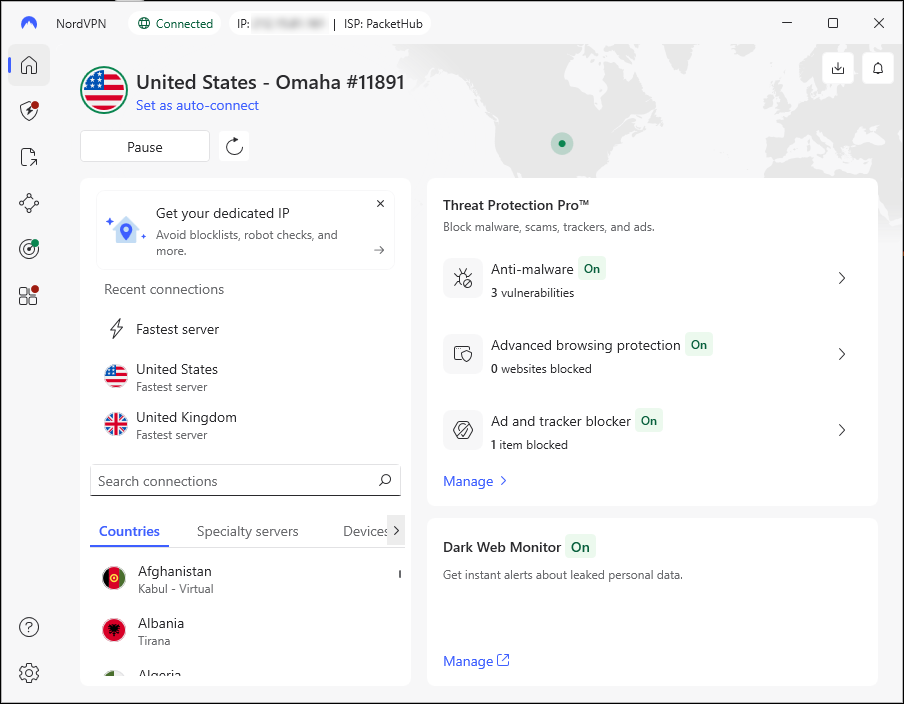
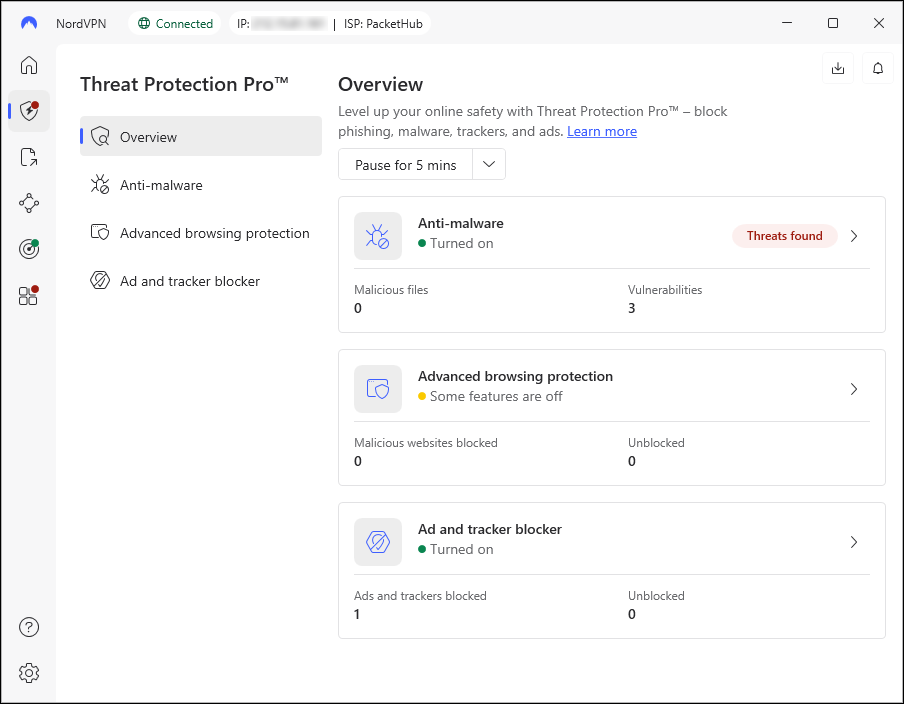
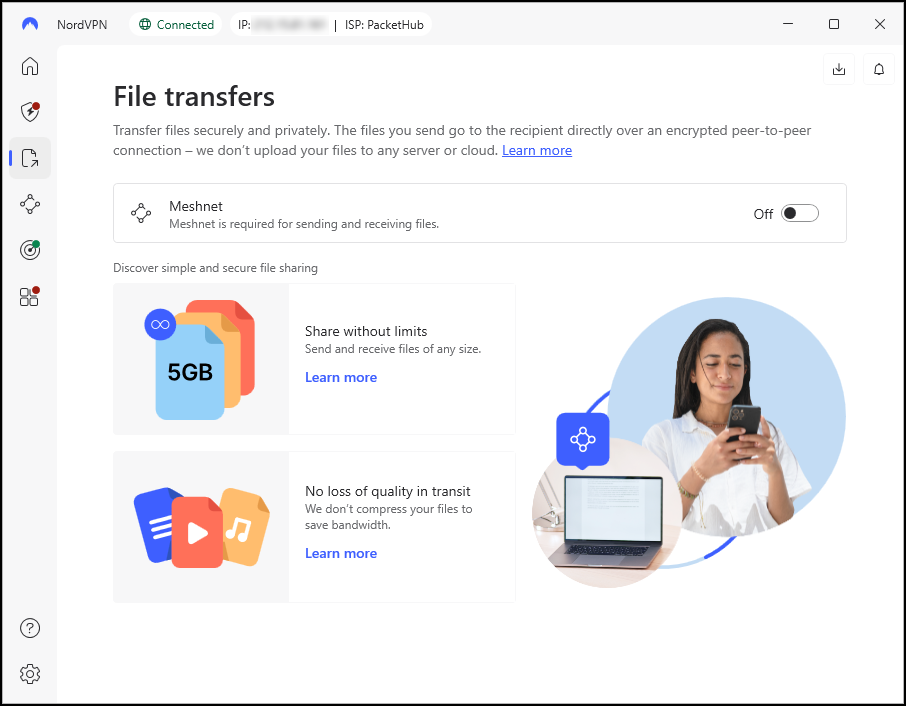
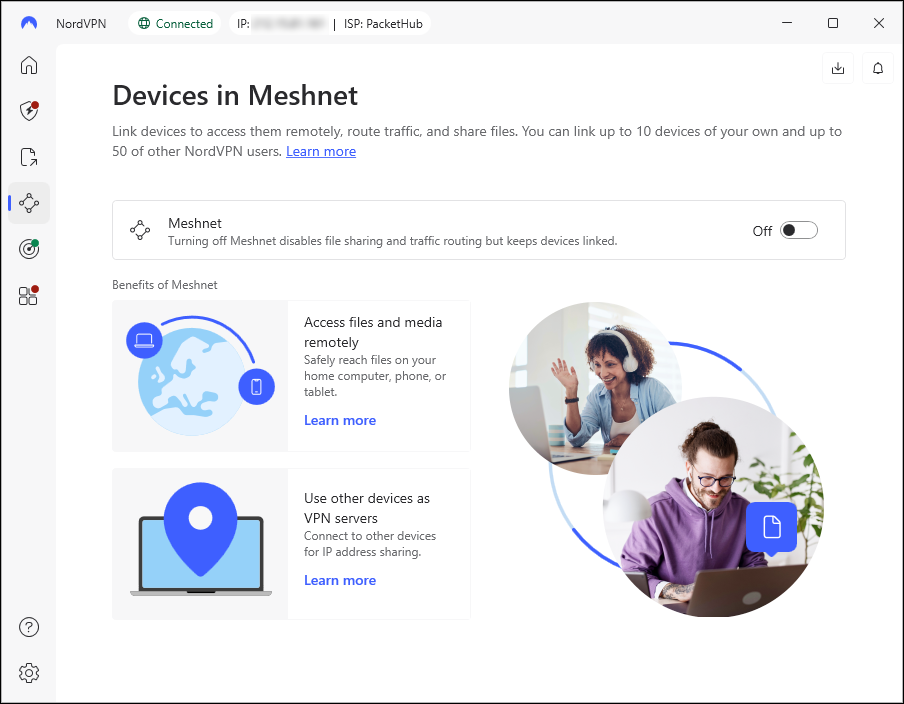
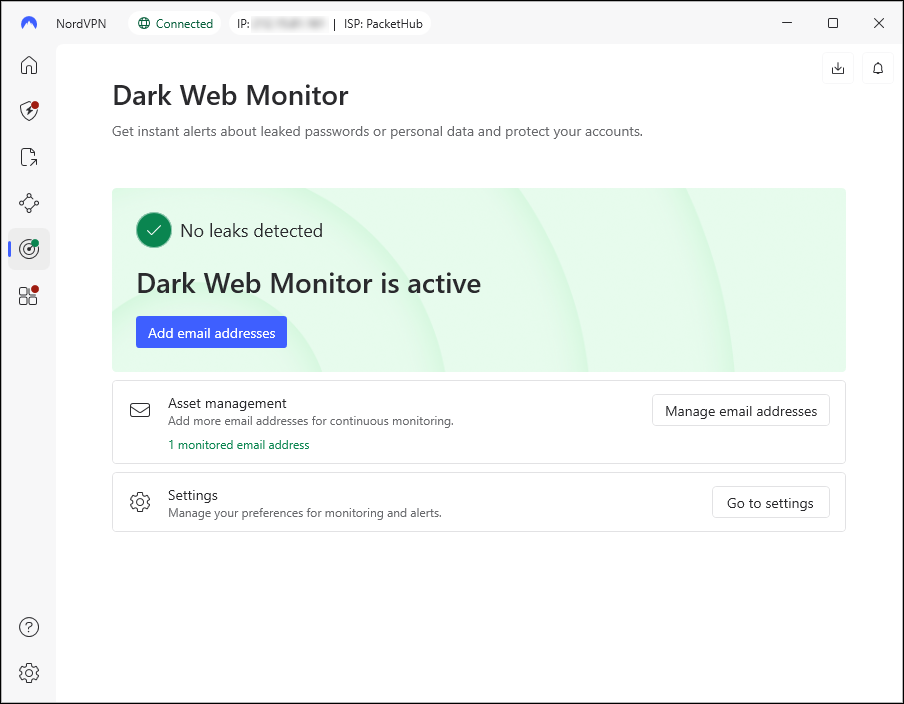
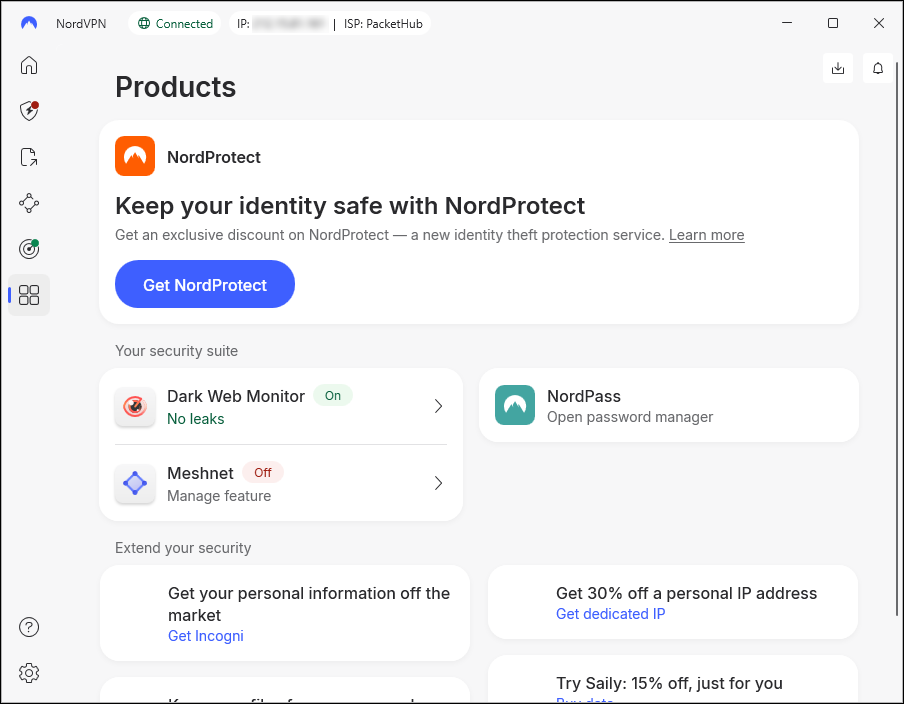
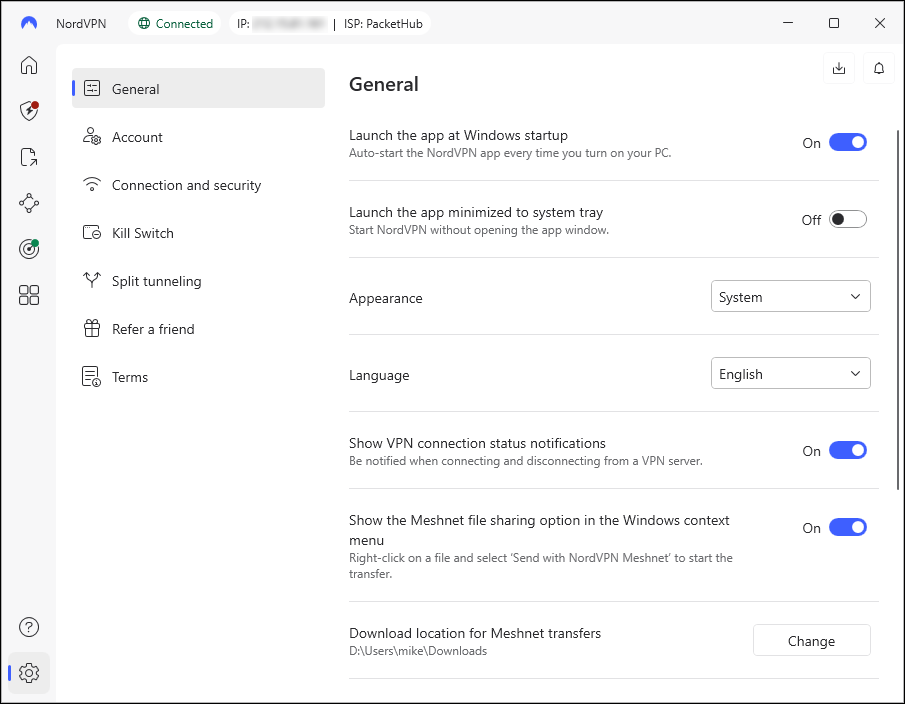
Click any screenshot to expand it.
My Hands-On Testing Experience
Setup and Installation
I purchased NordVPN Plus to test its feature set. The purchase process was straightforward and took about one minute from start to finish.
After creating my account, I was immediately prompted to download the Windows app. The installer file was small (9 MB) and the installation process was simple.
What Data Does NordVPN Collect During Setup?
During installation, NordVPN asks permission to collect app performance and usage data for analytics. This is optional. You can customize what data you share or choose to only allow essential data. I opted out of analytics sharing, sticking with the bare minimum required for the VPN to function. While I typically limit data collection as a general rule, I recognize that this kind of anonymized usage data is generally harmless and actually helps companies improve their products.
The installer gave me the option to include the browser extension alongside the desktop app. I chose to install both. There’s also a “View Components” link that shows exactly what files get installed, including the updater service, automated cleanup tools, necessary drivers, and runtime files. This level of transparency is a nice touch.
Initial Configuration:
After installation, the app prompted me to choose my preferred VPN server location. I scrolled to United States and selected “Fastest Server.” This option automatically connects to the fastest available US server, so your IP stays US-based while always giving you the best speed.
From there, I clicked “Secure my connection” and I was protected. The entire process from purchase to connected VPN took less than five minutes.
Real-World Speed Testing: The Numbers
I ran six total speed tests to get accurate results: three tests without the VPN running (to establish my baseline connection speed), and three tests with the VPN connected. Each test measured download speed, upload speed, idle latency, download latency, and upload latency.
My Connection:
- ISP: Google Fiber (1 Gbps)
- Location: Iowa
- VPN Server: Omaha, Nebraska (Fastest US Server – Auto Selected)
- Normal Speed Range: 750-800 Mbps under typical network usage
Test Results Summary
Each test ran back to back under normal network conditions. VPN was set to auto-connect to the fastest available US server.
| Download (Mbps) | Upload (Mbps) | Idle Latency (ms) | Download Latency (ms) | Upload Latency (ms) | |
|---|---|---|---|---|---|
| Test 1 – No VPN | 714.58 | 413.99 | 2 | 9 | 2 |
| Test 1 – With VPN | 622.39 | 438.10 | 53 | 53 | 43 |
| Test 2 – No VPN | 632.49 | 519.91 | 2 | 14 | 2 |
| Test 2 – With VPN | 555.80 | 546.50 | 43 | 67 | 44 |
| Test 3 – No VPN | 768.36 | 563.18 | 2 | 11 | 2 |
| Test 3 – With VPN | 572.35 | 449.48 | 43 | 66 | 53 |
Here is what the numbers looked like when averaged across all three test rounds:
| Metric | No VPN | With VPN | Change |
|---|---|---|---|
| Download Speed | 705 Mbps | 583 Mbps | -17% |
| Upload Speed | 499 Mbps | 478 Mbps | -4% |
| Latency | 2 ms idle | 46 ms idle | +44 ms |
What These Numbers Mean
NordVPN Speed Impact at a Glance: Testing on a 1 Gbps fiber connection, NordVPN reduced average download speeds by 17% and upload speeds by only 4%. Latency increased by roughly 44ms. For streaming, video calls, and everyday browsing, the difference is not noticeable.
Bottom line: NordVPN delivered fast, consistent speeds. The speed reduction is minimal compared to the privacy and security benefits you gain.
Independent Testing Results
My testing aligns with independent research from West Coast Labs, which recently evaluated NordVPN against several competitors. They scored NordVPN 58 out of 60 points, ranking it first overall.
In independent testing by West Coast Labs (1 Gbps connection, 7 global regions), NordVPN outperformed the average competitor across every category:
| Metric | NordVPN Result |
|---|---|
| Download Speed | 15.2% faster than the average competitor |
| Upload Speed | 12.4% faster than the average competitor |
| Latency | 7.9% lower than the average competitor |
| Overall Score | 1st place (58/60) |
If you want to see the full technical breakdown, you can read the complete report here: West Coast Labs Comprehensive VPN Testing Report 2025
Why NordVPN Stands Out
Massive Global Server Network
NordVPN operates over 8,700 servers in more than 129 countries. This means you can always find a fast server close to your location, and you have plenty of options for connecting through different countries when traveling or accessing region-specific content.
Servers include special modes for P2P file sharing, obfuscated traffic (to bypass VPN blocking), and dedicated IP addresses if needed.
NordLynx: Why NordVPN Is So Fast
NordVPN uses its own protocol called NordLynx, built on top of WireGuard. A protocol is basically the method your device uses to send data through the VPN tunnel. Older protocols like OpenVPN are reliable but slower. WireGuard is a newer, leaner option, and NordLynx takes it a step further by adding privacy improvements that WireGuard on its own doesn’t have.
In plain terms: NordLynx is one of the main reasons NordVPN stays fast even when the VPN is running. It’s selected automatically by the app unless you go in and change it manually. Most people should leave it on auto.
Threat Protection: Security Even When VPN Is Off
Threat Protection is one of NordVPN’s standout features. It blocks ads, trackers, malware, and phishing websites. What makes it different from other VPN ad blockers is that Threat Protection works even when the VPN tunnel is turned off.
It also scans files you download for malware (desktop only), removes dangerous files automatically, and checks your apps for security weaknesses.
Meshnet for Private Device Connections
Meshnet creates a private connection between your devices or devices owned by people you trust. Think of it like your own personal internet that only your devices can access.
You can connect up to 60 devices, including computers owned by trusted friends or family. Use cases include:
- Accessing your home NAS from hotel rooms
- Printing to your home printer remotely
- Hosting LAN parties over the internet without port forwarding
- Securely transferring files between devices
Extra Privacy Layers When You Need Them
Most people will never need these features, but they’re available if you want extra anonymity:
- Double VPN routes your traffic through two servers instead of one, adding an extra layer of encryption. This provides additional privacy but slows your connection slightly.
- Onion Over VPN combines the Tor network with NordVPN’s encryption, giving you Tor-level anonymity without Tor’s notoriously slow speeds.
- Obfuscated Servers make your VPN traffic look like regular internet traffic. This helps you stay connected in places that try to block VPNs (like some countries or restrictive networks) and keeps websites from detecting that you’re using a VPN.
- Kill Switch automatically cuts your internet connection if the VPN drops unexpectedly. This prevents your real IP address from being exposed during a connection hiccup. NordVPN’s kill switch is available on Windows, Mac, Linux, and Android, and you can set it to apply to all traffic or only selected apps.
NordVPN Plans and Pricing
NordVPN offers four plan tiers: Basic, Plus, Complete, and Prime. The VPN itself is identical across all four. What changes are the extra features bundled with each plan.
One thing worth knowing before you pick a plan: NordVPN’s current deals are structured as 27-month subscriptions (24 months plus 3 free bonus months). The monthly rate you see advertised is the introductory price spread across those 27 months, paid upfront as a single charge. When that period ends, the plan renews at a higher annual rate. I have listed both below so there are no surprises at renewal time.
| Plan | Introductory Rate | Renewal Rate | What's Included |
|---|---|---|---|
| Basic | $83.43 upfront ($3.09/month) |
$139.08/year ($11.59/month) |
Secure, high-speed VPN Basic Threat Protection 10 devices at once |
| Plus (Recommended) | $96.93 upfront ($3.59/month) |
$179.88/year ($14.99/month) |
Everything in Basic, plus: NordPass password manager Data breach scanner Threat Protection Pro |
| Complete | $134.73 upfront ($4.99/month) |
$219.48/year ($18.29/month) |
Everything in Plus, plus: 1TB encrypted cloud storage (NordLocker) |
| Prime | $188.73 upfront ($6.99/month) |
$296.28/year ($24.69/month) |
Everything in Complete, plus: Email/phone/credit card/SSN monitoring Scam call protection $1M identity theft insurance $100K cyber extortion insurance Credit freeze assistance |
Plus is the plan I tested and the one I recommend for most people. The password manager and breach scanner alone are worth the extra few dollars over Basic, and the renewal rate is still reasonable compared to Complete or Prime.
Complete only makes sense if you don’t already have cloud storage through Google Drive, Dropbox, or iCloud. Prime is a significant step up in price and is best suited for anyone who wants identity theft protection bundled into one subscription rather than paying for a separate service like Aura or LifeLock.
Note: The rates reflect NordVPN’s current promotional pricing as of July 2026. Introductory pricing applies to your first 27-month billing cycle only. Renewal rates are significantly higher, so it is worth marking your calendar before your subscription renews. You can turn off auto-renewal in your NordVPN account settings at any time.
Optional Add-Ons
- Dedicated IP: $3.68/month (a unique IP address only you use, useful if you need consistent access to specific systems or want to avoid shared IP blacklists)
- Incogni: $4.49/month (sends removal requests to data brokers and people search sites on your behalf)
All Plans Include
- 30-day money-back guarantee
- 10 simultaneous device connections
- 24/7 customer support
Which NordVPN Plan Is Right for You?
Answer four quick questions to find your best fit.
Would you like ad blocking, malware protection, and a password manager included with your VPN?
Would you like 1TB of encrypted cloud storage included for your files and documents?
Would you like monitoring for your personal info including email, phone, credit card, and social security number?
Would you like identity theft insurance coverage and credit monitoring included?
Real World Use Cases
Here’s how these features play out in day-to-day situations, from working at a coffee shop to keeping your streaming library while traveling.
Staying Safe on Public Wi-Fi
Airports, hotels, coffee shops, and libraries are some of the easiest places for others to snoop on your internet traffic. With NordVPN running, your data stays encrypted and private, even on untrustworthy networks. If you are not sure what threats exist on public networks, our guide on Home Wi-Fi Security covers what attackers can actually see and do on an open network.
Keeping Access to Your Home Services While Traveling
If you travel internationally, NordVPN helps you access the same streaming services you use at home by connecting to a server in your home country. This works for Netflix, Hulu, sports streaming, and most other region-locked content.
Remote Work and Personal Access
Using Meshnet, you can securely access your home or office computer from anywhere. It works like a private remote connection without complicated VPN server setup or port forwarding.
Better Privacy for Daily Browsing
Your ISP cannot track your browsing activity when you’re connected to NordVPN, and websites have a harder time fingerprinting your connection or tracking you across the internet. For a broader look at protecting your identity online, see our Identity Theft 101 guide.
Simple to Use, Easy to Forget It’s Running
NordVPN has one of the cleanest, most user-friendly apps in the VPN space. The map view is simple to understand, and the quick connect button covers what most people need. Advanced settings are available if you want them, but they’re tucked away so they don’t clutter the interface. The app works on Windows, Mac, iPhone, Android, Linux, and smart TVs. It connects instantly and stays stable even on weak Wi-Fi.
NordVPN also works directly on supported routers, which covers every device on your home network at once, including smart TVs and game consoles that cannot run a VPN app natively.
The best part? Turn it on once and forget it’s running. It doesn’t slow down your browsing, doesn’t require constant attention, and works quietly in the background.
Streaming and Traveling: Does It Actually Work?
NordVPN as a VPN for streaming holds up well in 2026. This is one of the most common reasons people buy a VPN is to keep their streaming services working while traveling. If you go abroad and try to open Netflix, you may see a completely different library than what you have at home, or some services might not load at all.
With NordVPN, you connect to a server in your home country and your streaming services see a home IP address. In testing by multiple independent reviewers in 2026, NordVPN successfully unblocked Netflix, Hulu, BBC iPlayer, Disney+, and other major platforms without needing to switch servers repeatedly.
For everyday home use, this also means NordVPN does not noticeably slow down your streaming. At 583 Mbps average download with the VPN on, you have more than enough headroom for multiple 4K streams running simultaneously.
When NordVPN Might Not Be Right
NordVPN is a strong choice for most people, but it might not be the best fit if:
- You only need occasional VPN use and don’t want to commit to a yearly plan. Monthly pricing is significantly higher, and other VPNs offer cheaper month-to-month options.
- You need to connect more than 10 devices simultaneously. Competitors like Surfshark and Private Internet Access offer unlimited simultaneous connections.
- You’re on a very tight budget and need the absolute cheapest option. While NordVPN offers good value, some competitors have lower entry prices.
- You only need basic protection without extra features. If you don’t care about password managers, cloud storage, or advanced features, a simpler VPN might suit you better.
How NordVPN Compares to the Competition
If you are shopping around, here is how NordVPN stacks up against the most common alternatives.
| Feature | NordVPN Plus | Surfshark One | ExpressVPN |
|---|---|---|---|
| Starting Price (2yr) | ~$3.59/mo | ~$3.19/mo | ~$6.67/mo |
| Simultaneous Devices | 10 | Unlimited | 8 |
| No-Logs Audits | 6 (Deloitte) | Yes | Yes |
| Built-in Password Manager | Yes (NordPass) | Yes (Surfshark One) | No |
| Threat Protection / Ad Blocker | Yes (works VPN-off) | Yes | Yes |
| Server Network | 8,700+ in 129 countries | 3,200+ in 100 countries | 3,000+ in 105 countries |
| Post-Quantum Encryption | Yes (2026) | No | No |
| Money-Back Guarantee | 30 days | 30 days | 30 days |
Common Mistakes And How NordVPN Helps You Avoid Them
Leaving the VPN off on “trusted” networks. Many people only turn a VPN on at coffee shops, but their home ISP can also log and sell browsing data. Running NordVPN in the background costs you nothing in speed for everyday tasks.
Ignoring the kill switch. If a VPN disconnects mid-session without a kill switch enabled, your real IP is exposed instantly. NordVPN’s kill switch is off by default, so it is worth turning on in Settings.
Forgetting that a VPN is not a complete privacy solution. NordVPN encrypts your traffic and hides your IP, but it does not stop you from logging into Google or accepting website cookies. Pair it with Threat Protection and a password manager for a more complete setup.
Final Thoughts
NordVPN is one of the few VPNs that earns its reputation with real results. My hands-on testing on a 1 Gbps fiber connection showed a 17% download speed drop and a 4% upload speed drop. For context, a 17% drop is better than average for a VPN, and in everyday use neither number is noticeable. Setup took under five minutes. The app stays out of your way once it’s running.
The Plus plan hits the best balance. You get a solid VPN, Threat Protection Pro, NordPass password manager, and breach monitoring in one subscription. For most people, that package replaces at least two separate purchases.
NordVPN is not the cheapest option on the market, especially after the introductory period. But if you want a service that works reliably, has been independently audited six times for privacy practices, and does not require you to think about security constantly, it is a strong choice.
Who should buy NordVPN:
- Anyone who uses public Wi-Fi regularly at airports, hotels, or coffee shops
- Travelers who want to keep their home streaming services working abroad
- Remote workers who need secure connections outside the office
- Privacy-conscious users who want to stop ISPs and websites from tracking them
- Anyone looking for an all-in-one package covering VPN, password manager, and threat protection
Ready to Try NordVPN?
You’ve seen the speed tests, the security audits, and the pricing. If NordVPN sounds like the right fit, every plan comes with a 30-day money-back guarantee, so you can try it risk-free and get a refund if it’s not for you.
Explore more Online Security guides for related tips, tools, and reviews.
NordVPN FAQ
Is NordVPN worth it in 2026?
For most people, yes. NordVPN delivers fast speeds, strong privacy protections, and useful extras like Threat Protection and Meshnet. The Plus plan in particular gives you a password manager and breach monitoring bundled in, making it a solid all-in-one security option for everyday users.
How much does NordVPN cost?
NordVPN offers four plan tiers. The current deals are structured as 27-month subscriptions, paid upfront as a single charge. The Basic plan works out to $3.09 per month across those 27 months. The Plus plan, which adds a password manager, breach monitoring, and advanced threat protection, works out to $3.59 per month. All plans include a 30-day money-back guarantee. Introductory pricing applies to your first 27-month billing cycle, after which renewal rates are higher.
Does NordVPN slow down your internet?
Every VPN adds some overhead because your traffic is being routed through an extra server. In real-world testing on a 1 Gbps fiber connection, NordVPN reduced download speeds by about 17% on average. Upload speeds dropped only 4%. For everyday tasks like streaming, video calls, and browsing, you will not notice the difference.
Is NordVPN safe to use?
Yes. NordVPN uses AES-256 encryption, a no-logs policy that has been independently audited six times by Deloitte, and RAM-only servers that cannot retain data between reboots. It is headquartered in Panama, outside major intelligence-sharing alliances. NordVPN also added post-quantum encryption to its NordLynx protocol in 2026.
What is Threat Protection in NordVPN?
Threat Protection is a built-in security layer that blocks ads, trackers, phishing websites, and malware-hosting sites. The Pro version, included with the Plus plan, also scans files you download for malware and removes them automatically. Notably, Threat Protection works even when the VPN tunnel itself is turned off.
Can I use NordVPN on multiple devices?
All NordVPN plans allow up to 10 devices connected at the same time. This covers a household with phones, laptops, tablets, and smart TVs. If you need more than 10 simultaneous connections, some competing services like Surfshark offer unlimited connections.
What is NordVPN Meshnet?
Meshnet is a feature that creates a private, encrypted network between your own devices or devices belonging to people you trust. Think of it as your own mini private internet. You can use it to securely access your home computer or files while traveling, share files between devices, or set up a private connection for gaming without port forwarding.
Does NordVPN work in China or other countries that block VPNs?
NordVPN’s Obfuscated Servers are designed to bypass VPN blocks by making your traffic look like regular browsing. While no VPN can guarantee 100% reliability in countries with aggressive censorship, NordVPN’s obfuscated servers give you the best chance of staying connected. Check NordVPN’s current country-specific guidance before traveling.
What happens to my data if NordVPN gets hacked?
NordVPN experienced a server breach in 2018 on one third-party data center server. No user activity logs were exposed because NordVPN does not keep them. Since then, NordVPN moved entirely to RAM-only servers, meaning all data is wiped automatically on reboot. A hacked server today would contain nothing recoverable.
A VPN can improve your privacy online, especially on public Wi-Fi and shared networks. If this review helped, share it with someone comparing VPN options.

Michael Kendrick
Director of IT and former Certified Registered Locksmith with 27 years in technology and cybersecurity. Practical, everyday guidance to help you protect everything from the locks on your doors to the logins on your accounts.
Keep Learning: Related Security Guides

Password Security 101: The Keys to Your Kingdom
Your passwords are the keys to your entire digital kingdom. Learn how to build strong, memorable passwords, use a password manager, and add extra layers of defense with 2FA.

Identity Theft 101: How to Protect Yourself
Identity theft affected over 1.1 million Americans in 2024 alone. This plain-English guide explains how identity theft happens, the warning signs to watch for, and the exact steps you can take

NordPass Review 2026: Features, Security & Value
A hands-on NordPass review based on daily real-world use. Covers security, pricing, autofill performance, and whether bundling it with NordVPN Plus is the smarter move.