
Table of Contents
This review looks at how NordPass performs, what features stand out, and whether it is worth it.
NordPass Rating 4.73 / 5.0
Current deals: NordPass | NordVPN Plus
Pros
• Strong modern encryption (XChaCha20)
• Simple clean interface
• Unlimited devices and passwords
• Useful security tools (breach scanner, password health)
• Smooth cross platform support
• Excellent value when bundled with NordVPN Plus
Cons
• Lacks advanced power features
• Limited offline functionality
• Autofill misses some sites (typical with Password Managers)
A Note on Scoring
Security (98%), Ease of Use (96%), Cross-Device Sync (96%), and Value (98%) all reflect what I have experienced personally in daily use. The two scores worth a closer look are Features (89%) and Autofill Accuracy (90%). Features landed at 89% because NordPass has no offline editing and family sharing works item by item rather than by folder. Autofill scored at 90% because while it handles the vast majority of sites without issue, pages with non-standard or custom-built login fields can trip it up and mobile apps occasionally need a manual tap to trigger the fill prompt. Neither is a dealbreaker for everyday users, and both are limitations you will find across many password managers, not just this one.
My Hands-On NordPass Experience
After years in IT and cybersecurity, I know exactly what to look for in a password manager. I started with the NordPass free version to test it out first, then upgraded to Premium when I purchased NordVPN Plus. Since then I have been using it every single day on both my PC and Android phone, which means this review is built on real daily use. I also cross-referenced independent audits and verified user reports to fill in the gaps. The focus here is on what actually matters without the technical noise.
Quick Verdict
Is NordPass worth it? Yes, for most people. It offers strong XChaCha20 encryption, unlimited device sync on paid plans, a clean interface, and useful tools like a data breach scanner and password health checker. It is a solid choice for anyone who wants better password security without a steep learning curve.
The best value comes from bundling it with NordVPN Plus, which gives you both a premium password manager and a secure VPN in one package. If you want to check it out, here is the official deal for NordPass or go straight for the better value with NordVPN Plus which includes NordPass Premium.
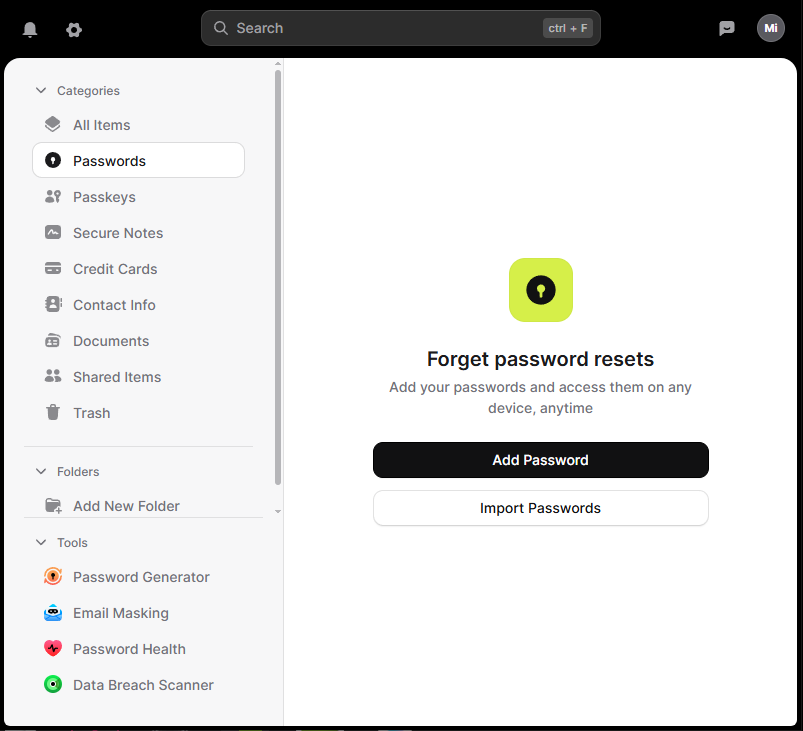
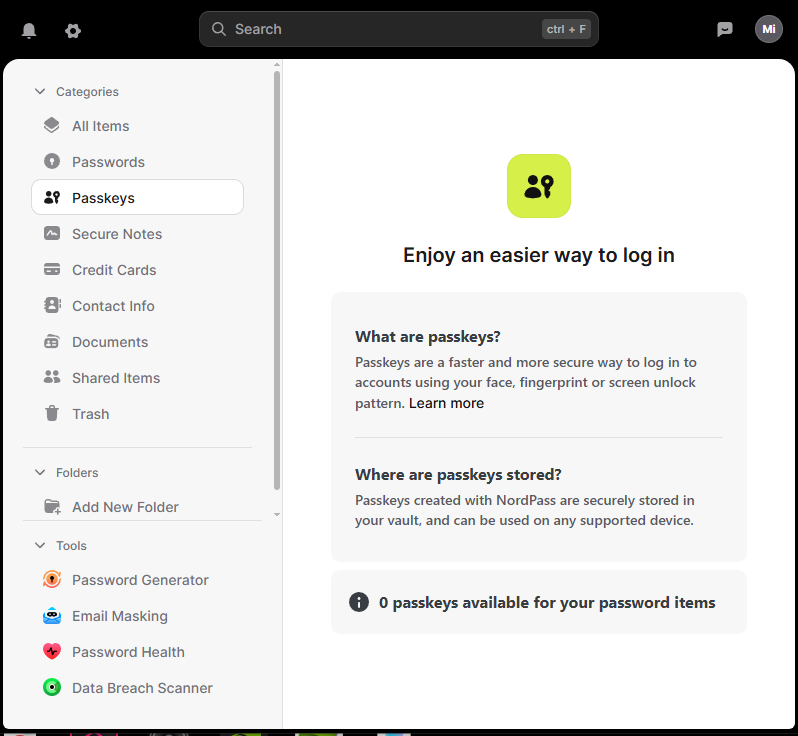
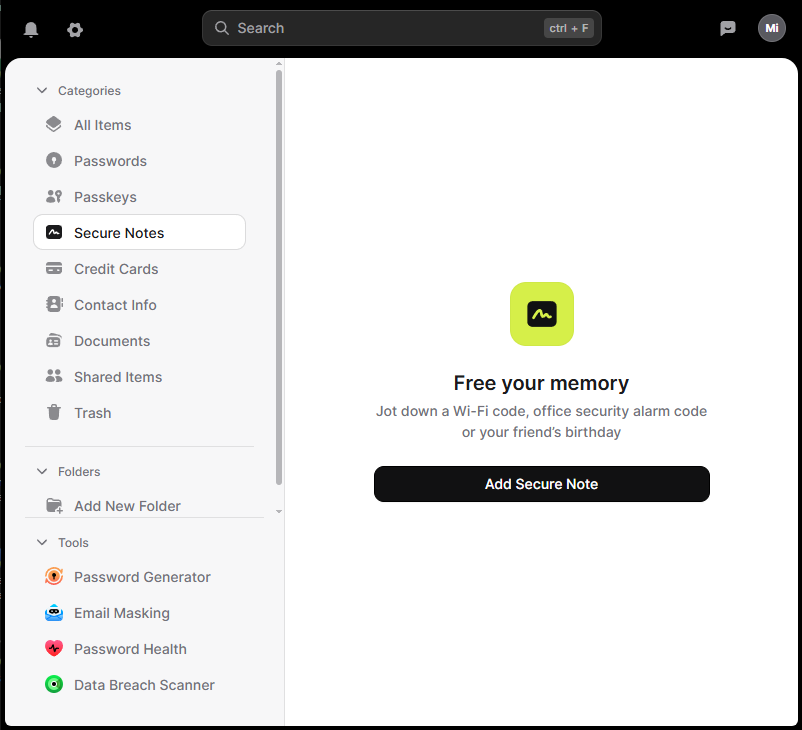
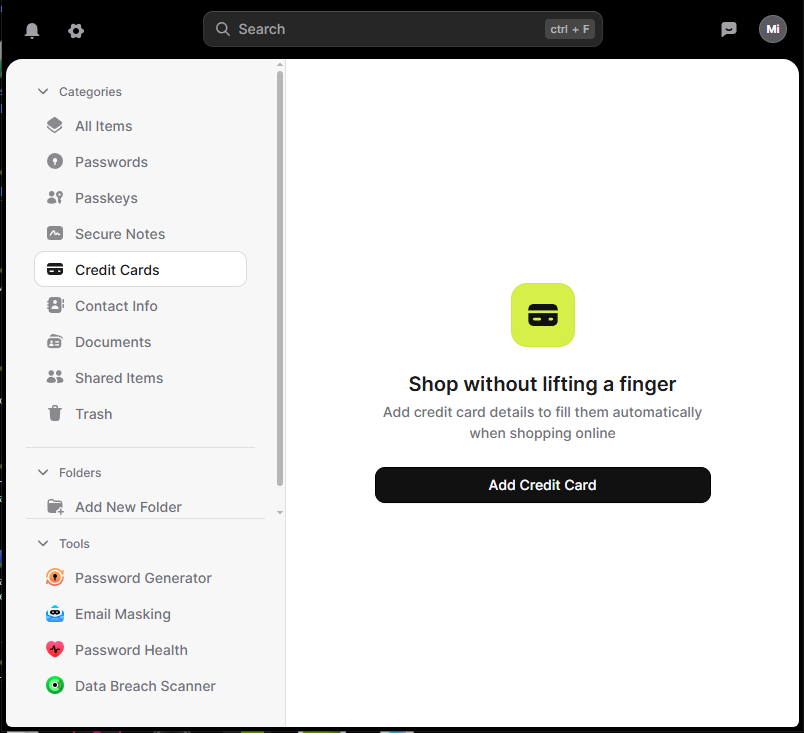
NordPass Screenshots
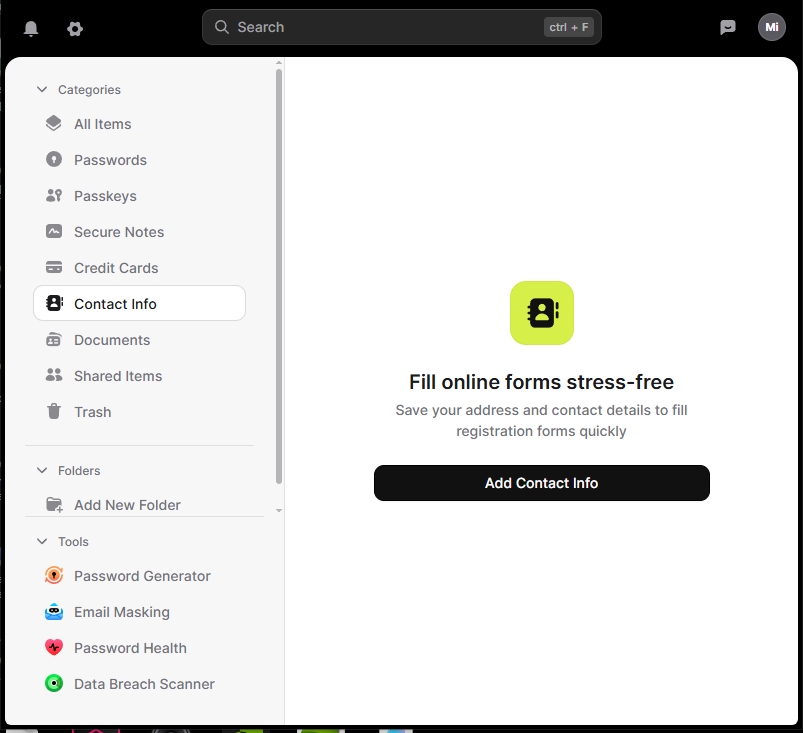
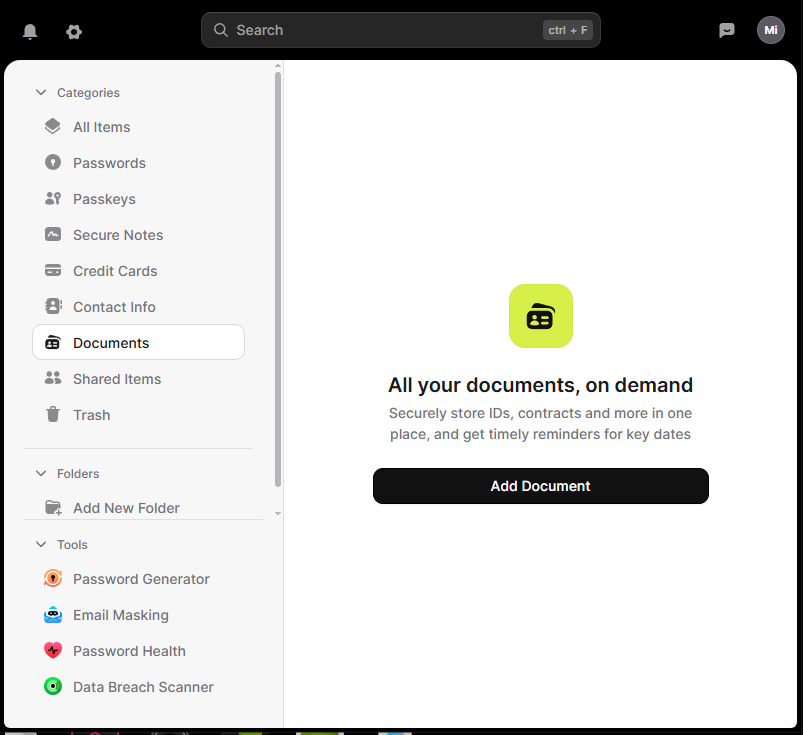
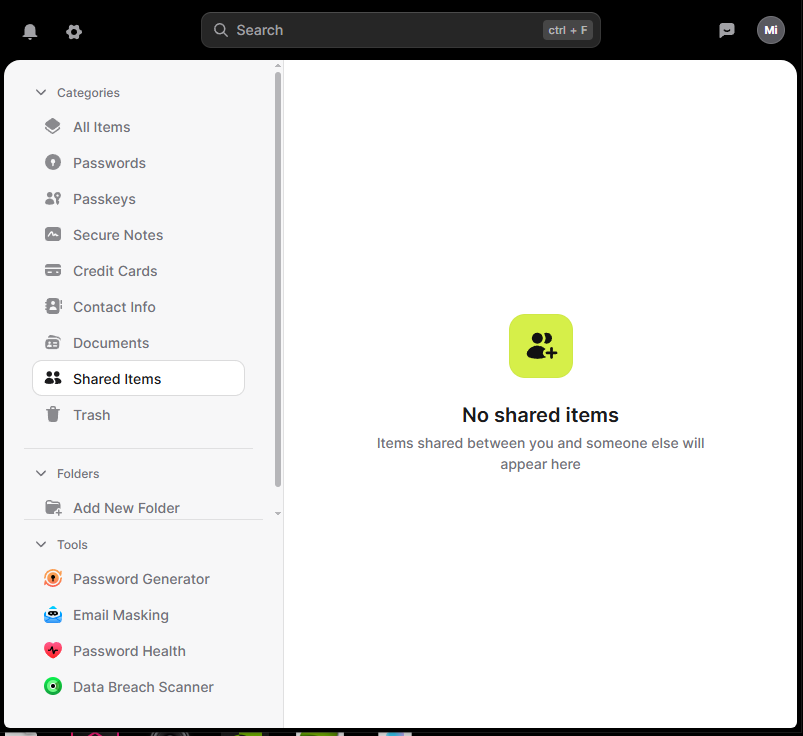
What Stands Out
Zero-knowledge design
This means not even NordPass can peek at your data. It is encrypted on your device before syncing. It’s like a safe only you can unlock, because only you have the combination.
NordPass has been independently audited by Cure53, a respected cybersecurity firm. Their 2020 security assessment examined the cryptographic design and applications, identified vulnerabilities that were all fixed and verified, and concluded the platform is secure. NordPass has also achieved SOC 2 Type 2 compliance. Between the independent audits and ongoing compliance certifications, I’d call that battle-tested enough to trust with your passwords.
One more trust detail worth noting: NordPass is operated out of Panama, which sits outside the Five Eyes intelligence-sharing alliance. That means no legal obligation to hand over your data to foreign governments even if asked.
Important: Master Password and Recovery Code
Your master password is the only key to your vault, so choose one you can remember. If you forget it, your only recovery option is a Recovery Code you must set up in advance (Settings > Security > Recovery Code). NordPass lets you save it as a PDF to print and store somewhere safe, like a lockbox or home safe. Without both, NordPass support cannot recover your vault. They can only reset your account, which erases everything.
Modern encryption with XChaCha20
Most password managers use AES-256 encryption, which is already strong. NordPass uses XChaCha20, which is newer, faster, and better suited for modern devices and attack methods. Think of AES-256 as a great lock and XChaCha20 as a newer version with extra reinforcement built in.
Data breach scanner
This tool checks whether your passwords or email addresses show up in known data leaks and alerts you so you can update them before someone tries to use that information. You can also verify results independently using the free tool Have I Been Pwned.
Unlimited passwords and unlimited devices
Premium plans include unlimited passwords and device sync, which is not something every competitor offers. Moving between my laptop and phone throughout the day works seamlessly with no extra effort required.
Ready to Stop Juggling Passwords?
NordPass keeps everything secure and in sync across all your devices. Get started with the standalone premium plan or grab the better value with NordVPN Plus, which combines a full VPN with NordPass Premium.
Clean and simple design
The interface is friendly and easy to learn. Everything is where you would expect it to be, with no cluttered menus to dig through. After daily use for months, I can say it consistently stays out of your way.
Works on all major platforms
Windows, Mac, Linux, Android, iPhone, and every major browser are all supported. The experience feels consistent across all of them, which matters when you switch between devices throughout the day.
Strong password generator
One click creates a long, random password for you, which helps you avoid weak or reused credentials. This alone removes one of the most common causes of account compromise.
Secure password sharing
If you need to share a password with a spouse or coworker, NordPass lets you do it safely inside an encrypted environment instead of sending it through text or email.
Password health tool
This feature scans your saved passwords and flags anything weak, reused, or outdated. It gives you a clear action list of what needs updating, making it easy to clean things up in one sitting.
Emergency access
You can designate trusted contacts who can request access to your vault in an emergency. You control how long they must wait before access is granted, giving you time to deny the request if something seems off.
Passkey support
NordPass supports passkeys, a newer way to log in without a traditional password. Instead of typing a password, you authenticate with a fingerprint, face scan, or device PIN. Sites like Google, Amazon, and Apple already support this, and NordPass stores your passkeys in the vault just like regular passwords so they sync across devices. If you want to understand how passkeys work, check out our full guide: What Are Passkeys? How They Work and Why They Matter.
File attachments in vault items
You can attach files directly to password entries, like backup codes, security question answers, or important documents. Everything related to an account stays in one secure place.
Email masking
Premium plans include an email masking feature that lets you create a disposable alias when signing up for a website. Instead of giving out your real email, you use a masked address that forwards to your inbox. If that site gets breached or starts spamming you, you just delete the alias. Most people do not know NordPass includes this, and it is genuinely useful. If you are curious how exposed your email might already be, check out our guide on how to tell if your email has been hacked.
Things to Keep in Mind
Autofill accuracy
Autofill works well for most websites. In my testing across common sites like banking, shopping, and streaming services, I have not run into any problems yet. That said, some pages use unusual or custom login fields that can confuse any password manager. These cases might require an extra click or a manual selection. Mobile apps can sometimes have moments where the autofill prompt does not appear immediately. These are small annoyances, and they affect all password managers to some degree.
Fewer advanced features compared to power user focused tools
NordPass keeps things simple and works great for people looking for a straightforward password manager. Some tech-heavy users might want deeper features or more customization than what this password manager currently offers.
Offline mode feels limited
Your vault is still visible offline, but edits and syncing wait for reconnection. This is a common limitation among password managers. For example, Bitwarden also doesn’t support offline editing, and LastPass has similar restrictions. The standout exception is 1Password, which allows you to view and edit entries offline with changes syncing automatically when you reconnect. For most using NordPass, this isn’t a deal-breaker since you’re typically online when accessing accounts, but it’s worth noting if offline editing is important to you.
How NordPass Compares
NordPass holds its own well against the competition. A few things stand out when you line them up side by side. It uses XChaCha20 encryption, a newer and more modern algorithm than the AES-256 standard that Bitwarden, 1Password, and LastPass all use. It is also the only one that includes email masking on Premium plans. And it has the unique advantage of bundling with NordVPN Plus, covering both your passwords and your internet connection under one subscription. Unlike LastPass, NordPass also has a clean security record with no data breaches. Here is how they compare across the key areas most people actually care about:
| NordPass | Bitwarden | 1Password | LastPass | |
|---|---|---|---|---|
| Free Plan | Yes (1 device at a time) | Yes (true multi-device) | No | Yes (mobile or desktop only) |
| Starting Price | ~$1.49/mo | Free / $10/yr | $2.99/mo | $3/mo |
| Encryption | XChaCha20 | AES-256 | AES-256 | AES-256 |
| Zero-Knowledge | Yes | Yes | Yes | Yes |
| Breach Scanner | Yes (Premium) | Yes (Premium) | Yes | Yes |
| Offline Editing | No | No | Yes | Limited |
| Email Masking | Yes (Premium) | No | No | No |
| Security Audits | Yes (Cure53) | Yes (Cure53 + others) | Yes (20+ audits) | Yes |
| Data Breaches | None | None | None | Yes, in 2022 |
| VPN Bundle | Yes (NordVPN Plus) | No | No | No |
NordPass: For most everyday users, NordPass hits the sweet spot between security, simplicity, and price. If the VPN bundle appeals to you, nothing else on this list comes close to the NordVPN Plus value.
Bitwarden: If you are on a tight budget and comfortable with a more technical interface, Bitwarden’s free tier is hard to beat.
1Password: If you want the deepest feature set and offline editing, 1Password is worth a look.
LastPass: We do not recommend LastPass at this time. Despite ongoing improvements, LastPass has a troubled security track record that goes well beyond a single bad year. They received widespread criticism over how the 2022 breach was handled and how it was communicated to users.
Check current NordPass pricing and deals: NordPass | NordVPN Plus bundle
Plans & Pricing
NordPass offers three main plans. Pricing shown is approximate. NordPass runs frequent promotions and is known for strong Black Friday and Cyber Monday deals, so it is worth checking their site for the current offer before you buy.
Free Plan
- Unlimited passwords and secure notes on one device
- Password generator and basic autofill
- Core security features
- Missing: Multi-device sync, emergency access, secure sharing, data breach scanner
Note: You can install NordPass on multiple devices, but you can only be logged in on one at a time. Logging in on a new device logs you out of the previous one. Switching between devices is easy, but this single-device limitation was the most frustrating part of the free version. If you frequently move between devices, Premium’s ability to stay logged in everywhere makes a huge difference.
Premium Plan (Individual)
- This gets you just the NordPass password manager
- Approximately $1.49 to $1.99 per month when billed annually
- Unlimited devices with full sync
- Password health checks and data breach scanner
- Secure password sharing and emergency access
- Trusted contacts feature
- File attachments in vault items
- Tools to identify weak or reused passwords
- This is the full experience most people want
Family Plan (Up to 6 Users)
- Approximately $2.79 to $3.69 per month when billed annually
- Each person gets their own private Premium account
- All Premium features for everyone
- Shared vaults for family passwords (streaming, bills, etc.)
- Easier management for households
- Best value if multiple people need password management
Get NordPass bundled with NordVPN Plus (Best Value)
- NordVPN Plus includes NordPass Premium
- Protects both your passwords and your internet connection
- All Premium NordPass features included
- Check current pricing at NordVPN Plus
What You Should Know:
- All paid plans include a 30 day money-back guarantee
- Annual billing is significantly cheaper than month-to-month
- Longer commitments (2 year plans) drop the monthly cost even more
- NordPass runs frequent promotions, so check their site for current deals
The pricing is competitive with other major password managers, especially considering you get unlimited devices on Premium (some competitors restrict this). For most people, bundling NordPass with NordVPN Plus is the smartest choice because it covers both password security and online privacy at a better overall value than buying them separately.
Who Should Consider NordPass
This password manager is a great choice if you want:
- A simple and secure password manager
- Strong encryption with a zero-knowledge design
- Unlimited syncing across devices
- A clean interface that is easy to understand
- Tools that help you identify weak or reused passwords
- The option to bundle it with a VPN (Not sure if need one? Our Home VPN 101 guide has you covered)
It may not be ideal for users who want many advanced features or deep customization. For most people, it hits the perfect middle ground between safety, ease of use, and price.
Final Thoughts
NordPass delivers strong encryption, unlimited syncing, a clean design, and genuinely useful tools like the breach scanner and password health checker. After using it daily across my PC and phone, it does what it promises without getting in the way.
The pricing is competitive, and the interface is one of the cleaner ones in this space. If you want better password habits without overthinking it, this is a solid choice. If you are still on the fence about password managers in general, our Password Managers 101 guide is a good place to start.
My honest recommendation: if you are also looking for a VPN, skip buying NordPass on its own. The NordVPN Plus bundle gives you both at a better combined price, and that is exactly how I use it. It just makes more sense.
Ready to try it? Head to NordPass for the standalone plan, or for the best overall value, go straight to NordVPN Plus and get the bundle that includes NordPass Premium.
Explore more Online Security guides for related tips, tools, and reviews.
NordPass FAQ
Is NordPass safe to use?
Yes. NordPass uses XChaCha20 encryption, a zero-knowledge design (they cannot see your data), and has been independently audited by Cure53, a respected cybersecurity firm. It also holds SOC 2 Type 2 compliance. It is one of the more rigorously verified password managers available.
What happens if I forget my NordPass master password?
If you forget your master password and have not saved your Recovery Code in advance, NordPass support cannot recover your vault. The only option is a full account reset, which deletes all stored passwords. Always generate and save your Recovery Code (Settings > Security > Recovery Code) as a printed backup in a safe place.
Is NordPass free?
Yes, NordPass has a free plan with unlimited password storage. The main limitation is that you can only be logged in on one device at a time. Premium plans unlock true multi-device sync, the data breach scanner, password health tools, secure sharing, and email masking.
How does NordPass compare to 1Password?
1Password offers more advanced features and better offline editing. NordPass is simpler, slightly more affordable, and a better fit for everyday users who want strong security without complexity. If you are a power user who wants deep customization, 1Password edges ahead. For most people, NordPass hits the sweet spot.
Does NordPass work on all devices?
Yes. NordPass works on Windows, Mac, Linux, Android, and iOS, plus browser extensions for Chrome, Firefox, Edge, Safari, Brave, and Opera. The experience is consistent across all platforms.
What is included with NordVPN Plus?
NordVPN Plus bundles NordPass Premium with a full NordVPN subscription. You get a premium VPN for encrypting your internet connection plus a full-featured password manager in one package, typically at a lower combined cost than buying both separately.
Is NordPass worth paying for?
For most people, yes. The Premium plan is priced competitively, and you get unlimited device sync, breach monitoring, and password health tools. If you already use or plan to use NordVPN, the NordVPN Plus bundle is the best value because it includes NordPass Premium as part of the package.
Can NordPass import passwords from my browser or another password manager?
Yes. NordPass can import passwords from Chrome, Firefox, Edge, Safari, Bitwarden, LastPass, 1Password, and several other sources. You export a CSV file from your current password storage and upload it directly into NordPass. The process takes a few minutes and works reliably in most cases.
Does NordPass have a business or team plan?
Yes. NordPass offers business plans for teams of any size, with features like user management, activity logs, and shared vaults for team passwords. This review focuses on the personal and family plans, but the business option is worth exploring if you manage passwords for a workplace.
Know someone still reusing the same password everywhere? Send them this review. One share could make a real difference in how they protect their accounts.

Michael Kendrick
Director of IT and former Certified Registered Locksmith with 27 years in technology and cybersecurity. Practical, everyday guidance to help you protect everything from the locks on your doors to the logins on your accounts.
Keep Learning: Related Security Guides
Two-Factor Authentication 101: Your Second Line of Defense
Two-factor authentication (2FA) explained in plain language. Learn what it is, how it works, which method is strongest, and how to set it up on your most important accounts in minutes.

Password Managers 101: What They Are and How They Work
Not sure what a password manager is or how it keeps your passwords safe? This plain-language guide breaks down exactly how they work, what encryption means for your security, and how
Identity Theft 101: How to Protect Yourself
Identity theft affected over 1.1 million Americans in 2024 alone. This plain-English guide explains how identity theft happens, the warning signs to watch for, and the exact steps you can take