
Table of Contents
Bitdefender VPN earned a 3.62 out of 5 in our testing. It is easy to use and works well for casual users already in the Bitdefender ecosystem, but it comes with noticeable trade-offs. When I tested this on my 1 Gbps fiber connection, speeds dropped by 44% and latency spiked from 2ms to 77ms, making it less competitive than top VPN providers like NordVPN. This review covers what I found, including real-world speed testing, pricing, privacy concerns, and exactly who should and should not use it.
Bitdefender VPN Rating 3.62 / 5.0
Pros
• AES-256 encryption (industry standard)
• Simple, intuitive interface built into Bitdefender app
• Automatic triggers for specific apps and websites
• Kill switch included
• 100+ VPN server locations
• Reasonable first-year pricing when bundled
Cons
• Significant speed drop compared to base connection
• High latency increase (~77ms on average)
• Third-party VPN infrastructure and policies
• Limited advanced features
• High renewal prices after first year
What is Bitdefender VPN?
Bitdefender VPN is a virtual private network service that encrypts your internet connection and routes it through secure servers around the world. This hides your real IP address and makes it harder for websites, advertisers, and potential snoopers to track what you’re doing online.
Bitdefender VPN is available as a standalone product, but based on my testing, I don’t recommend it as a standalone product. It only makes sense to me when bundled with Bitdefender Premium Security, where you get both the antivirus protection and unlimited VPN in one integrated package at a better overall value.
If you are new to VPNs, you can start with this simple breakdown of how VPNs work in our Home VPN 101 article.
How Does Bitdefender VPN Work?
Bitdefender VPN works by creating an encrypted tunnel between your device and one of Bitdefender’s secure VPN servers. When you connect, your internet traffic is encrypted using AES-256 encryption and routed through that server instead of going directly to websites or apps. This masks your real IP address and makes it much harder for your internet provider, advertisers, or anyone on a public Wi-Fi network to see what you are doing online. The app can automatically connect when you join unsecured networks, open specific apps, or visit certain websites, so protection happens in the background without constant manual control.
About This Bitdefender VPN Review
If you’re already using Bitdefender Total Security for antivirus protection, you’ve probably noticed the VPN option built right into the app. It’s convenient, it’s integrated, and it promises to add an extra layer of privacy to your internet connection. But is it worth the upgrade from the basic limited version to the unlimited Premium plan? And how does it stack up against standalone VPN services?
I’ve been using Bitdefender Total Security for nearly seven years, and I later added the unlimited VPN through the Premium Security package. This review covers what I found after putting the VPN through real-world testing on my home network.
What Does Bitdefender VPN Protect You From?
Bitdefender VPN helps protect you from common online privacy risks rather than advanced threat scenarios. It encrypts your traffic to prevent data snooping on public Wi-Fi networks, such as those in airports, hotels, or coffee shops, the kind covered in our Home Wi-Fi Security guide. It also hides your real IP address, which reduces tracking by websites, advertisers, and your internet service provider. While the built-in ad blocking and anti-tracker features add another layer of privacy, they are basic and not a replacement for dedicated privacy tools. Bitdefender VPN does not protect against malware, phishing, or account compromise on its own, which is one of the reasons I recommend it as a companion to Bitdefender’s antivirus rather than a standalone VPN solution.
Quick Verdict
Bitdefender VPN is a decent option for light VPN use and for users already using Bitdefender antivirus, especially when bundled with Premium Security. It’s simple, easy to use, and covers basic privacy needs.
However, it falls short in speed, latency, and transparency compared to top VPN providers. In testing, performance dropped noticeably and latency increased, which can impact streaming, gaming, and large file transfers. If you are comparing options, see our full NordVPN review for a higher-performance alternative.
Best for:
- Existing Bitdefender users
- Basic privacy and public Wi-Fi use
Not ideal for:
- High privacy-focused users
- Gamers or power users
- Anyone looking for top-tier VPN performance
For a broader look at protecting your identity online, our Identity Theft 101 guide is a good starting point.
Bitdefender VPN Screenshots
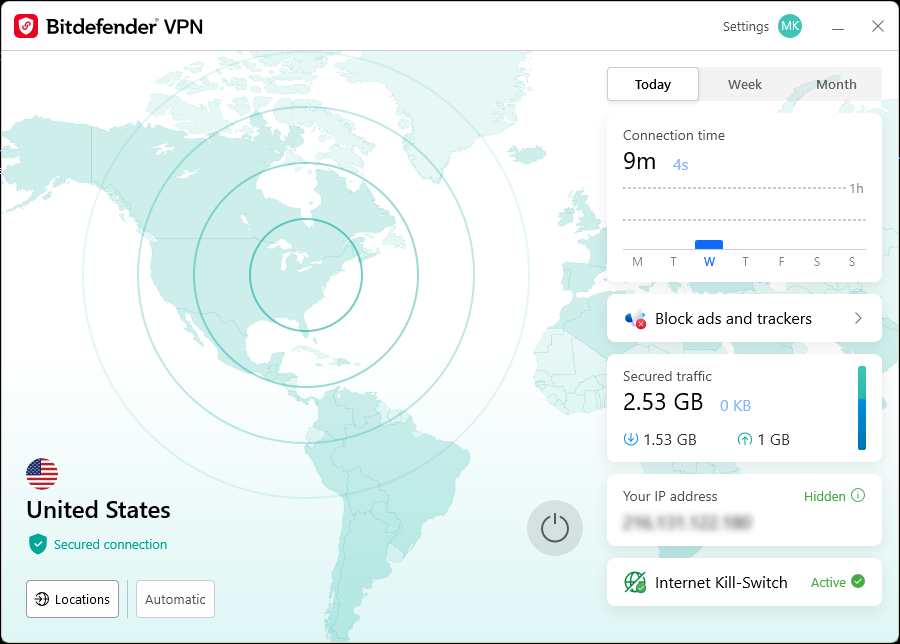
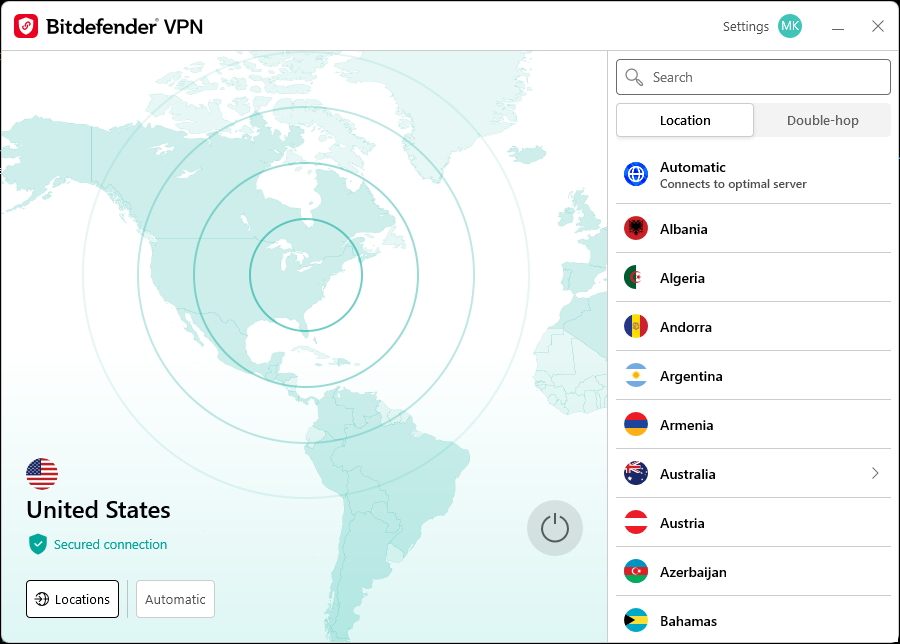
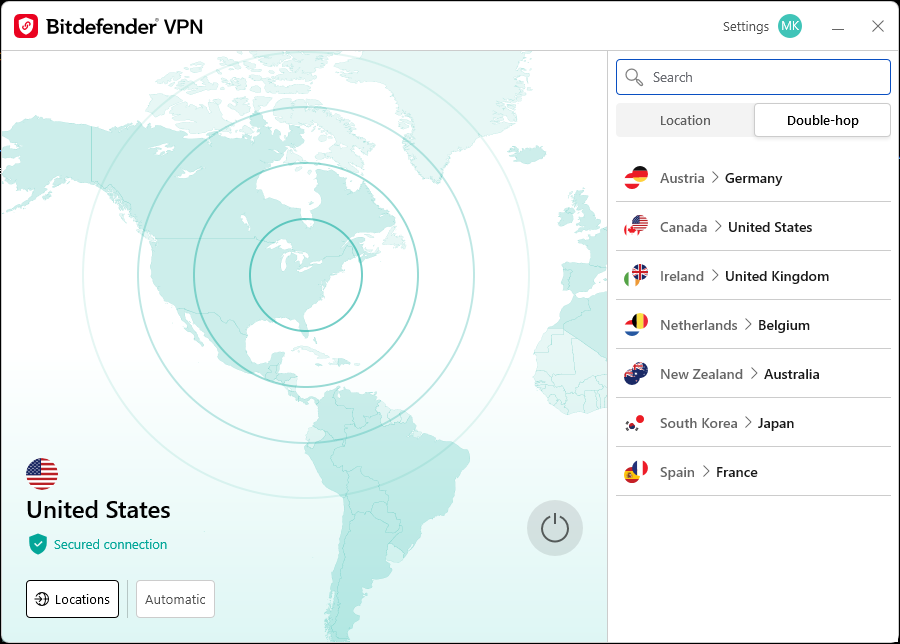
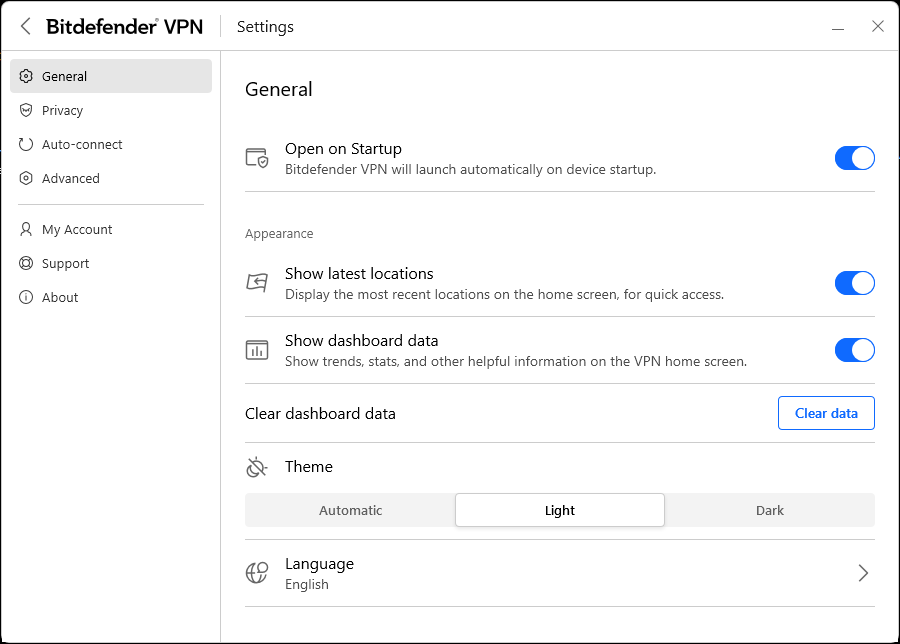
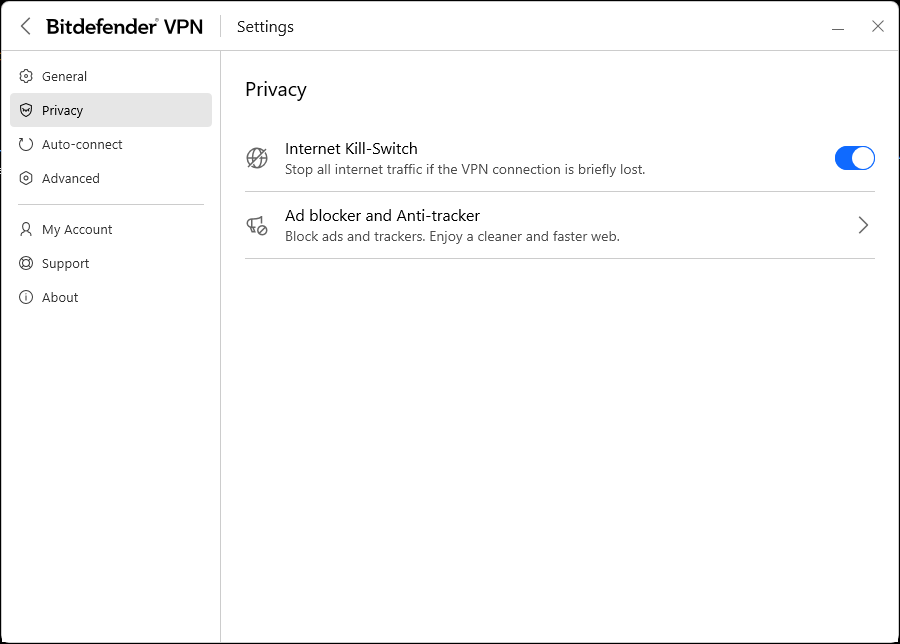
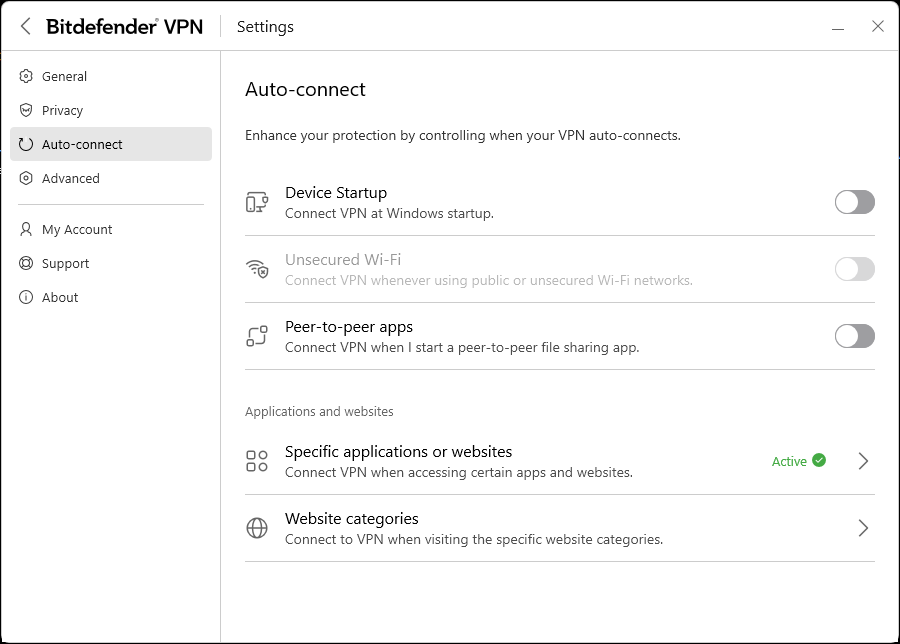
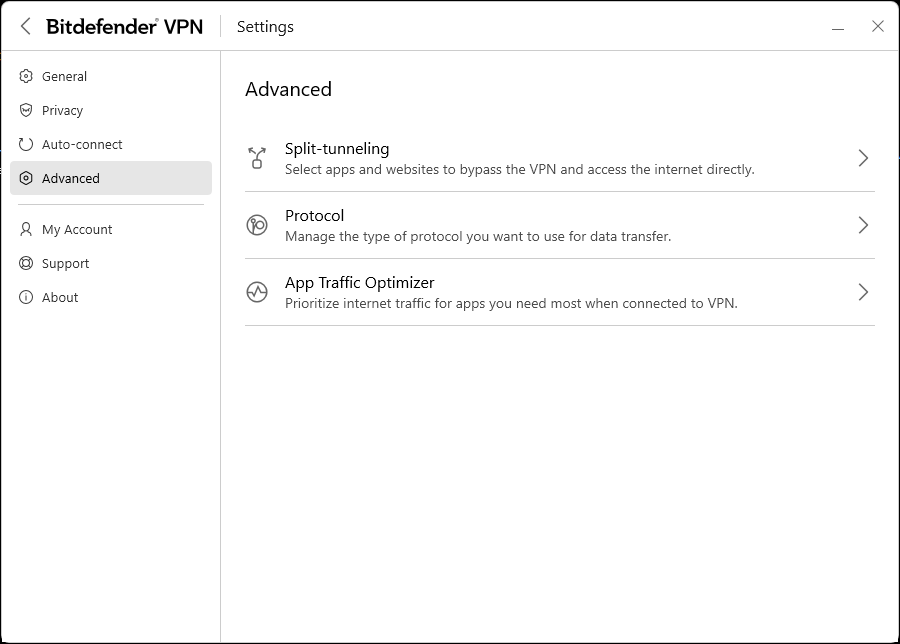
Click any image to view it full size.
What Devices Does Bitdefender VPN Work On?
Bitdefender VPN is available on Windows, macOS, Android, and iOS. The standalone VPN subscription covers up to 10 devices, while the bundled plans such as Premium Security cover up to 5. Either way, the interface is consistent across platforms, keeping the same simple one-click connection experience whether you are on a laptop or your phone.
There is no Linux support, which is worth noting if that applies to you. There is also no browser extension, so protection runs at the device level rather than just within a specific browser. If you need browser-level control or Linux compatibility, a standalone VPN service built specifically around those features, such as NordVPN, would be a better fit.
Mobile Experience
On Android and PC, the VPN behaves essentially the same way with a Premium subscription. The main limitations show up on mobile:
- If you only have the standard Total Security package, the daily 200 MB data cap makes the VPN impractical for phone use
- Some of Bitdefender’s mobile security features, like Web Protection, can’t always run simultaneously with the VPN on phones
If you’re using the unlimited Premium version, the mobile experience is solid and mirrors the desktop app’s simplicity.
Bitdefender VPN Standard vs Premium
If you’re considering Bitdefender VPN, it’s important to understand the difference between the limited version included with Total Security and the unlimited Premium version. The experience is very different depending on which one you’re using.
| Feature | Standard (Included with Total Security) | Premium (Unlimited VPN) |
|---|---|---|
| Data Limit | 200 MB per day, per device | Unlimited |
| Speed | Same speeds, but heavily restricted by daily cap | Same speeds with no restrictions |
| Best Use Case | Occasional browsing on public Wi-Fi | Everyday browsing, streaming, and regular use |
| Streaming | Not practical due to data limit | Works well for streaming services |
| Value | Included with antivirus | Requires upgrade or standalone subscription |
| Recommendation | Too limited for most users | The only practical option for regular use |
Bitdefender VPN Pricing 2026: Understanding Your Options
Bitdefender offers multiple security packages, and the difference between tiers matters more here than with most security products. The standalone VPN looks affordable at first glance but becomes hard to justify at renewal. The better value is almost always in the bundled plans, but only if you actually need the antivirus too.
One thing worth knowing before you dig in: Bitdefender Total Security includes the VPN, but caps usage at 200 MB per day, per device. That is enough for light email or occasional browsing, but falls well short of what you need for streaming, video calls, or regular everyday use. Unlimited access requires Premium Security or higher, or a standalone VPN subscription.
For current pricing and a full comparison of Total Security, Premium Security, and Bitdefender’s higher-tier plans, see my Bitdefender Total Security review. If you are shopping primarily for VPN speed and performance, my NordVPN review is also worth comparing with this one.
| Plan | What You Get | VPN Included | Devices | Intro Price | Renewal Price | Best For |
|---|---|---|---|---|---|---|
| Total Security | Core antivirus and malware protection | Yes, 200 MB/day, per device | Up to 5 | $59.99 | $109.99/yr | Solid antivirus with very light VPN use |
| Premium Security | Everything in Total Security plus unlimited VPN and extra privacy tools | Yes, unlimited | Up to 5 | $79.99 | $129.99/yr | Full antivirus and VPN with no data limits |
| Ultimate Security | Everything in Premium Security plus enhanced identity protection and breach monitoring | Yes, unlimited | Up to 5 | $89.99 | $159.99/yr | Users who want built-in identity theft monitoring |
| Ultimate Security Plus | Everything in Ultimate Security plus identity theft insurance and credit monitoring | Yes, unlimited | Up to 5 | $119.99 | $189.99/yr | Comprehensive identity protection and insurance |
| Standalone VPN | VPN only, no antivirus | Yes, unlimited | Up to 10 | $34.99 (intro) | $69.99/yr | VPN-only users; hard to justify at renewal price |
Prices shown reflect current promotions and may vary. Check Bitdefender’s site for the latest pricing before purchasing.
Bitdefender heavily discounts the first year to attract new customers, then renewal prices jump significantly. Keep that in mind when comparing options. If you are already on Total Security and just want to remove the VPN data cap, upgrading to Premium Security is a reasonable move. You are essentially paying around $20 more per year for unlimited access.
As a standalone VPN at its regular $69.99 renewal price, Bitdefender often costs more than dedicated services that outperform it on speed and privacy transparency. NordVPN, for example, frequently runs promotions that bring their annual price below $60 with stronger overall performance.
Pro Tip: If you already have Bitdefender Total Security and want to add basic VPN coverage, upgrading to Bitdefender Premium Security makes sense. If you are shopping for a VPN that stands on its own, check out our NordVPN review instead.
What Stands Out
Automatic Connection Options
Bitdefender VPN offers several ways to automate your protection:
- Auto-connect at startup: Set it to connect whenever your device boots up
- App-specific triggers: Configure the VPN to activate when you launch certain applications, like your banking app or accounting software
- Website-specific triggers: Set it to automatically connect when you visit specific URLs, such as your bank’s website
This trigger-based system is genuinely useful. If you want all your banking activity protected but don’t want the VPN running all the time, you can set your bank’s URL as a trigger and the VPN will activate only when needed.
Built-In Ad Blocker and Anti-Tracker
The VPN includes basic ad blocking and anti-tracking features. These work in the background to reduce ads and limit tracking cookies while you browse. They’re not as powerful as dedicated browser extensions, but they provide an extra layer of privacy without any additional setup.
Split-Tunneling
Split tunneling lets you choose which apps route through the VPN and which connect directly to the internet. This is actually one of the more practical features here. A good example: route your browser and banking app through the VPN for privacy, while letting your gaming client or streaming app connect directly at full speed. If you find yourself turning the VPN off just to get better performance, split tunneling is the fix.
Protocol Options
For users who want more control, Bitdefender lets you choose between different VPN protocols. Most people will be fine leaving this on automatic, but the option exists if you need it.
Server Locations
Bitdefender VPN offers more than 100 VPN server locations worldwide. At the time of testing, eight of those countries had multiple city options: Australia, Canada, France, Germany, Japan, Spain, United Kingdom, and the United States.
The United States alone offers about 23 different cities you can connect through, or you can select “United States Automatic” and let the app choose the best server for you.
Double Hop Option
For extra privacy, Bitdefender offers a double hop option that routes your connection through two servers instead of one. Sounds good on paper, but the options are too limited to be a real selling point. At the time of testing there were only seven available configurations, and just one of them included the United States. Unless one of those seven combinations happens to match what you need, this feature is more of a checkbox than a genuine advantage.
Real-World Speed Test Results
VPN speed matters. A VPN that slows your connection to a crawl isn’t practical for everyday use. I ran multiple speed tests on my 1 Gbps fiber connection to see how Bitdefender VPN performs.
I used the “United States Automatic” setting so the app could select the best server. For each test, I recorded speeds without the VPN first, then connected to the VPN and tested again. Here’s what I found:
Test Results:
| Test | Download (Mbps) | Upload (Mbps) | Idle Latency (ms) | Download Latency (ms) | Upload Latency (ms) |
|---|---|---|---|---|---|
| Test 1 - No VPN | 712.24 | 625.43 | 2 | 14 | 2 |
| Test 1 - With VPN | 394.60 | 217.40 | 67 | 67 | 67 |
| Test 2 - No VPN | 675.88 | 609.56 | 2 | 19 | 3 |
| Test 2 - With VPN | 428.24 | 243.92 | 61 | 61 | 60 |
| Test 3 - No VPN | 680.27 | 567.69 | 2 | 16 | 3 |
| Test 3 - With VPN | 337.04 | 168.72 | 102 | 103 | 103 |
Average Results:
| Metric | No VPN | With VPN | Change |
|---|---|---|---|
| Download Speed | 689.46 Mbps | 386.63 Mbps | -44% |
| Upload Speed | 600.89 Mbps | 210.01 Mbps | -65% |
| Idle Latency | 2 ms | 77 ms | +3,750% |
| Download Latency | 16 ms | 77 ms | +381% |
| Upload Latency | 3 ms | 77 ms | +2,467% |
What These Numbers Mean
Download speeds dropped by roughly 44% when using Bitdefender VPN. In practical terms, I went from about 689 Mbps to 387 Mbps. While that’s a noticeable reduction, 387 Mbps is still plenty fast for streaming 4K video, video calls, and everyday browsing. You won’t experience buffering or slowdowns for typical activities.
Upload speeds took a bigger hit, dropping 65% on average. This is more significant than the download reduction. If you frequently upload large files, back up data to the cloud, or stream video content, you’ll notice this slowdown compared to your base connection.
Latency increased dramatically, jumping from 2ms to an average of 77ms. This is a noticeably larger latency increase than what we typically observe when testing higher-end standalone VPN services. For everyday browsing and streaming, you probably won’t notice. However, gamers and anyone using latency-sensitive applications will definitely feel the difference. Competitive gaming in particular would suffer with this latency increase.
Bottom line: Bitdefender VPN’s speeds are usable for most everyday tasks, but the performance hit is more substantial than premium competitors like NordVPN. If you need maximum speed and lowest latency, this isn’t the best choice.
Streaming Performance
I tested Bitdefender VPN with Netflix and had no issues. The connection was smooth, video quality was high, and I didn’t encounter any VPN detection blocks. For casual streaming on Netflix, Hulu, or similar services, Bitdefender VPN handles the job without problems.
Privacy and Logging Policy: What You Actually Need to Know
Bitdefender states a no-logs policy, meaning it does not track or store records of the websites you visit or your online activity. That is the standard claim, and for most everyday users it is good enough. But there are a couple of layers worth understanding before you take it at face value.
First, Bitdefender VPN does not run on its own infrastructure. It is built on technology provided by Pango, the company behind Hotspot Shield’s Catapult Hydra platform. This means your traffic is passing through a third-party network rather than servers owned and operated by Bitdefender directly. That is not unusual in the VPN industry, but it does mean the privacy promise has more than one party involved.
Second, while Bitdefender references independent validation of its privacy practices, with the infrastructure undergoing an independent audit in 2025 to verify its no-log policy, it is not backed by the kind of detailed, repeat, publicly available audits you see from providers like NordVPN or Mullvad. Those companies publish audit reports that specifically verify their no-logs claims against their own infrastructure. Bitdefender’s documentation stays at a higher level, with most technical details tied to the Pango partnership rather than Bitdefender’s own systems.
For most users looking for basic privacy on public Wi-Fi or reduced advertiser tracking, this is likely sufficient. If you need the highest level of transparency and independently verified privacy guarantees, there are better options. This does not mean Bitdefender VPN is unsafe. It simply means its privacy model asks you to trust more than one company, with less public documentation than some alternatives.
Is Bitdefender VPN Safe to Use?
Bitdefender VPN is generally safe to use for everyday privacy and security needs. It uses AES-256 encryption, which is the industry standard, and includes important features like a kill switch to protect your connection if the VPN drops.
The main concern is not safety, but transparency. As covered above, Bitdefender relies in part on third-party infrastructure and does not provide the same level of detailed, repeat auditing as some dedicated VPN providers.
For most users who want basic privacy on public Wi-Fi or to reduce tracking, Bitdefender VPN is safe enough. If you need the highest level of privacy assurance, there are better options with more transparent, independently verified no-logs policies.
Security Features
Kill Switch
Bitdefender VPN includes an automatic kill switch. This is a critical security feature that cuts your internet connection if the VPN drops unexpectedly. Without a kill switch, your real IP address and unencrypted data could leak if the VPN connection fails. Bitdefender gets this right.
Encryption
The VPN uses standard AES-256 encryption, which is the industry standard and essentially unbreakable with current technology. Your data is secure while it’s traveling through the VPN tunnel.
A VPN protects your connection, but it is only one piece of the puzzle. Our Identity Theft 101 guide covers the other steps most people overlook, including breach monitoring, credit freezes, and account hygiene.
Who Should Use Bitdefender VPN?
Bitdefender VPN makes the most sense for:
- Current Bitdefender users who already have Total Security and want to add unlimited VPN protection without managing a separate service
- Casual VPN users who need basic privacy for browsing and streaming but don’t require maximum speeds or the strongest privacy guarantees
- People who value simplicity over advanced features and customization options
- Users who want automated protection through app and website triggers
Who Should Skip Bitdefender VPN?
You’ll probably want to look elsewhere if you’re:
- A gamer or power user who needs the fastest possible speeds and lowest latency
- Highly privacy-conscious and require clear, audited no-logs policies with detailed documentation
- Looking for advanced VPN features like more advanced split-tunneling controls or extensive double hop options
- Not already using Bitdefender antivirus and shopping for a standalone VPN (you can get better performance and value elsewhere)
- A heavy data user who plans to use the VPN constantly for large downloads or uploads
Bitdefender VPN vs NordVPN
If you are trying to decide between Bitdefender VPN and a dedicated provider like NordVPN, the differences become much clearer when you compare them side by side.
| Feature | Bitdefender VPN | NordVPN |
|---|---|---|
| Speed (Download Impact) | 44% average drop in my testing | Typically 10–20% drop |
| Latency Increase | Significant (2ms to ~77ms in testing) | Low to moderate |
| Server Network | 100+ VPN server locations | 8,400+ servers in 167+ countries |
| Privacy | No-logs claims tied to third-party infrastructure | Independently audited no-logs policy |
| Streaming | Works, but not optimized | Strong streaming performance and reliability |
| Features | Basic (kill switch, split tunneling, triggers) | Advanced (Double VPN, Meshnet, Threat Protection) |
| Pricing (Year 1) | ~$60–$80 bundled | Often ~$40–$70 with promotions |
| Best For | Existing Bitdefender users | Most users looking for a full VPN solution |
Bitdefender VPN is built for convenience, especially if you are already using Bitdefender antivirus. NordVPN is built as a standalone VPN service, and it shows in performance, privacy transparency, and feature depth. If you want something simple and already use Bitdefender, it can work. If you are choosing a VPN on its own, NordVPN is the stronger option. You can see full testing results, speed comparisons, and real-world usage in our detailed NordVPN review.
Final Thoughts
Bitdefender VPN is a solid, simple option for existing Bitdefender users who want convenient VPN protection bundled with their antivirus software. The interface is intuitive, the automatic trigger features are useful, and it handles everyday browsing and streaming without issues.
As a standalone VPN service, it does not compete well with dedicated providers like NordVPN. The speeds are slower, the privacy policy is less transparent, and the feature set is more limited. The pricing after the first year also becomes less competitive.
If you already use Bitdefender Total Security, upgrading to Premium Security for unlimited VPN is a convenient and practical choice. My full Bitdefender Total Security review explains what comes with each plan and whether the antivirus suite itself is worth the cost.
If you are choosing a VPN on its own, a dedicated provider like NordVPN offers better speed, privacy transparency, and overall performance. Bitdefender VPN is built primarily for convenience and integration, not to compete directly with the top standalone VPN services.
Ready to get started? Check out Bitdefender’s standalone VPN offering or bundle with Bitdefender Premium Security for the best value.
Bitdefender VPN: Common Questions Answered
Is Bitdefender VPN good enough for everyday use?
Yes, for everyday use it holds up fine. Browsing, streaming, and basic privacy protection all work without issues. Where it falls short is speed and latency, so if you game online or upload large files regularly, you will notice the difference compared to a dedicated VPN service.
Does Bitdefender VPN keep logs?
Bitdefender states a no-logs policy, meaning they say they do not record your browsing activity. However, their VPN runs on third-party infrastructure through a company called Pango, so the privacy guarantees are not as independently verified as services like NordVPN or Mullvad, which publish third-party audits. For most casual users it is fine. For high-privacy needs, look elsewhere.
Is Bitdefender VPN included with Total Security?
Yes, but with a catch. Total Security includes the VPN with a 200 MB per day, per device data cap, which is not enough for regular use. To get unlimited VPN access you need to upgrade to Premium Security or higher.
How does Bitdefender VPN compare to NordVPN?
Bitdefender VPN is easier to use and integrates directly with its antivirus software, but NordVPN wins on speed, latency, privacy transparency, and advanced features. In testing, Bitdefender dropped download speeds by 44% and increased latency to around 77ms. If you are choosing purely on VPN performance, our NordVPN review breaks down exactly how it compares.
Should I use Bitdefender VPN as a standalone service?
Probably not. At its regular renewal price of $69.99 per year, standalone Bitdefender VPN is often more expensive than dedicated VPN services that outperform it. It makes the most sense as an add-on for existing Bitdefender users upgrading to Premium Security, not as a first choice for someone shopping specifically for a VPN.
Can I use Bitdefender VPN on multiple devices?
Yes. One Bitdefender VPN subscription covers up to ten devices across Windows, macOS, Android, and iOS. The same account and login work across all of them, which is useful for a household where multiple people or devices need coverage. There is no Linux support and no browser extension, so protection applies at the device level.
Does Bitdefender VPN work for streaming?
It works for basic streaming in most cases. During testing the download speeds remained above 330 Mbps even with the VPN active, which is more than enough to stream 4K video without buffering. However, geo-unblocking results vary by service and server location. If your primary goal is accessing region-locked streaming libraries, a dedicated VPN with stronger unblocking capabilities and published streaming support would be a more reliable choice.
A VPN can add an extra layer of privacy online, but not all VPNs are built the same. If this review helped you better understand Bitdefender VPN, share it with someone comparing VPN options right now.

Michael Kendrick
Director of IT and former Certified Registered Locksmith with 27 years in technology and cybersecurity. Practical, everyday guidance to help you protect everything from the locks on your doors to the logins on your accounts.
Keep Learning: Related Security Guides

Bitdefender Total Security Review 2026: Nearly 7 Years of Real-World Use
Nearly 7 years of real-world Bitdefender Total Security use. See current pricing, features, performance, plan differences, and honest pros and cons.

NordVPN Review 2026: We Tested It on 1 Gbps Home Internet
We tested NordVPN Plus on a 1 Gbps fiber connection and ran six speed tests to see what you actually get. Full results, honest pricing breakdown, and a clear verdict on

Home VPN 101: Keeping Your Business Your Business
A VPN creates a private, encrypted tunnel for your online activity, keeping prying eyes away. Learn how VPNs protect your privacy, which features matter most, and how to stay secure on