
Table of Contents
Bitdefender Total Security has protected my primary home PC for nearly 7 years without a single virus or ransomware incident, and without ever slowing my machine down. This review covers what I have found using it every day since 2019, including every main feature explained in plain language, real plan pricing, and honest pros and cons.
Bitdefender Total Security Rating 4.75 / 5.0
Pros
• Seven years of daily use, no malware incidents
• No noticeable slowdown, even during scans
• Deep feature set: firewall, ransomware remediation, vulnerability scanning
• Bitdefender Central enables easy remote device management
• Smooth purchase and renewal experience every time
Cons
• Alerts often lack detail on exactly what was blocked and why
• Built-in VPN has a real speed drop, a downside for gamers
• “Special offers” marketing notifications are on by default
• Renewal price jumps well above the discounted first-year rate
What Is Bitdefender Total Security?
Bitdefender Total Security is antivirus and internet security software. In plain terms, it is a program that runs quietly in the background on your computer, watching for viruses, ransomware, and other malicious software (like malware), and it steps in to block threats before they can do damage. It also includes extra tools like a firewall (software that controls what is allowed to connect in and out of your computer) and a vulnerability scanner that checks for outdated software or weak settings on your machine.
About This Bitdefender Total Security Review
I have been running Bitdefender since October 2019, starting with the free 90-day trial before moving to a paid Total Security subscription. Along the way, I upgraded to Premium Security for a while specifically to get the unlimited VPN, using it as my main VPN during that time. Once I switched my main VPN use over to NordVPN, I no longer needed the unlimited version, so I downgraded back to Total Security, which is what I run still today. That is nearly 7 years of daily use on my main PC, so this review comes from real experience rather than a quick test drive.
How I Evaluated Bitdefender Total Security
This review is based on nearly seven years of daily use on my primary Windows PC, beginning in October 2019. During that time, I have used both Bitdefender Total Security and Premium Security, managed subscriptions and renewals through Bitdefender Central, run system scans, tested Safepay, used the included VPN, reviewed security alerts, and used the software during everyday work, gaming, downloads, and general web browsing.
I did not intentionally expose my computer to live malware for this review. My protection score combines my long-term experience with current results from independent antivirus testing laboratories. The overall rating is based on the average of my scores for protection and detection, performance, features, ease of use, value, and purchase and account experience.
Independent Antivirus Test Results
My personal experience has been excellent, but one clean computer alone cannot prove how well an antivirus product detects thousands of current threats. Independent laboratory results provide a much broader view.
In AV-TEST’s April 2026 Windows 11 evaluation, Bitdefender Total Security received the maximum score of 6 out of 6 for protection, 6 out of 6 for performance, and 6 out of 6 for usability.
In AV-Comparatives’ February through May 2026 Real-World Protection Test, Bitdefender protected against 398 of 400 test cases for a 99.5% protection rate and received the organization’s Advanced+ award. Bitdefender also received an Advanced+ award in AV-Comparatives’ April 2026 performance evaluation.
These independent results support what I have experienced during everyday use: strong protection with very little noticeable effect on system performance.
Quick Verdict
Bitdefender Total Security is a strong, low-maintenance antivirus suite that has protected my main PC for nearly 7 years without a single virus or ransomware incident, and without ever slowing my machine down. It packs in a deep feature set, including a firewall, ransomware remediation, and a locked-down banking browser, and Bitdefender Central makes it easy to manage if you run more than one device.
Where it falls short is the bundled VPN, which is fine for occasional browsing but takes a real speed hit that gamers and heavy VPN users will notice. Security alerts can also be light on detail, so you sometimes have to take Bitdefender’s word for it when something gets blocked.
Best for:
- Anyone who wants antivirus protection that runs quietly in the background without getting in your way
- Households protecting up to 5 devices from one account
- Users who want a deep feature set, including a firewall, ransomware remediation, and a dedicated banking browser, bundled into one subscription
Not ideal for:
- While the antivirus itself is great for anyone, including gamers, if you plan to run the bundled VPN during gaming or other latency-sensitive tasks, the speed drop is a real downside
- Anyone shopping specifically for identity theft monitoring or insurance, which requires stepping up to Ultimate Security or higher
Bitdefender Total Security Plans and Pricing
Bitdefender sells Total Security alongside a few higher tiers that add more privacy and identity protection features. Here is how they stack up so you can see where Total Security fits before deciding if a higher tier makes sense for you. (pricing as of 7/18/26)
| Plan | What You Get | VPN Included | Devices | Intro Price | Renewal Price | Best For |
|---|---|---|---|---|---|---|
| Total Security | Core antivirus, firewall, ransomware protection, Safepay, SecurePass password manager, core scam protection, data breach detection, limited VPN, and system utilities | Yes, 200 MB per day, per device | Up to 5 | $59.99 | $109.99/yr | Everyday protection without a heavy VPN need |
| Premium Security | Everything in Total Security plus unlimited VPN, Scam Protection Pro, email protection, system-wide ad blocker and anti-tracker | Yes, unlimited | Up to 5 | $79.99 | $129.99/yr | Anyone who wants unlimited VPN and more advanced scam and privacy protection |
| Ultimate Security | Everything in Premium Security plus dark web monitoring and an identity protection score | Yes, unlimited | Up to 5 | $89.99 | $159.99/yr | Users who want built-in identity theft monitoring |
| Ultimate Security Plus | Everything in Ultimate Security plus identity theft insurance and credit monitoring | Yes, unlimited | Up to 5 | $119.99 | $189.99/yr | Comprehensive identity protection and insurance |
Bitdefender heavily discounts the first year to get you in the door, then renewal pricing jumps noticeably. My most recent Total Security renewal was $106.99, while Bitdefender’s current standard renewal price is $109.99 as of July 18, 2026. Prices are subject to change, so check Bitdefender’s site directly before buying or renewing.
If the VPN is a priority for you, it is worth knowing that Total Security caps it at 200 MB per day, per device, which is fine for occasional use but not enough for streaming or everyday browsing. I cover this in more detail, including real speed test results, in my dedicated Bitdefender VPN review.
Bitdefender Total Security Screenshots
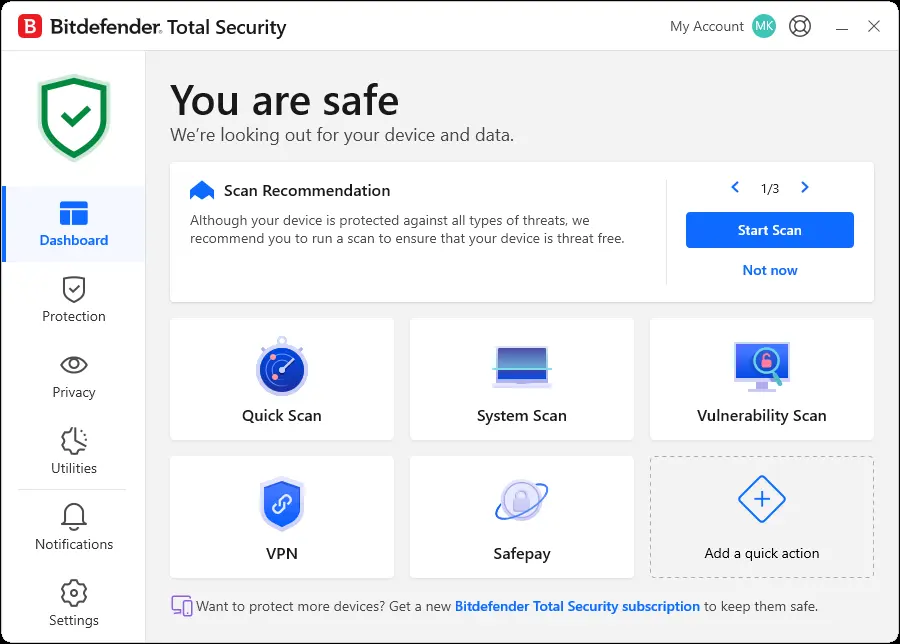
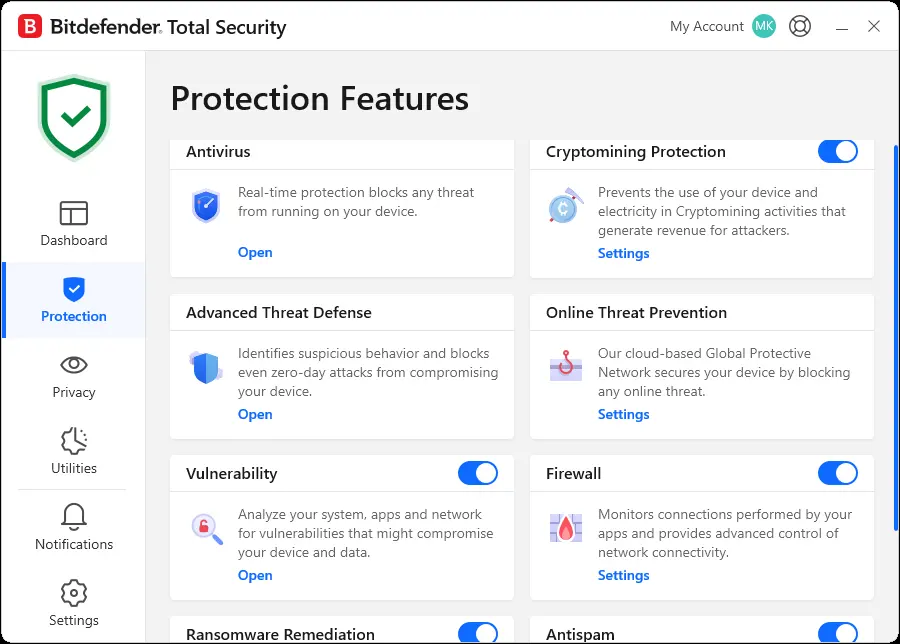
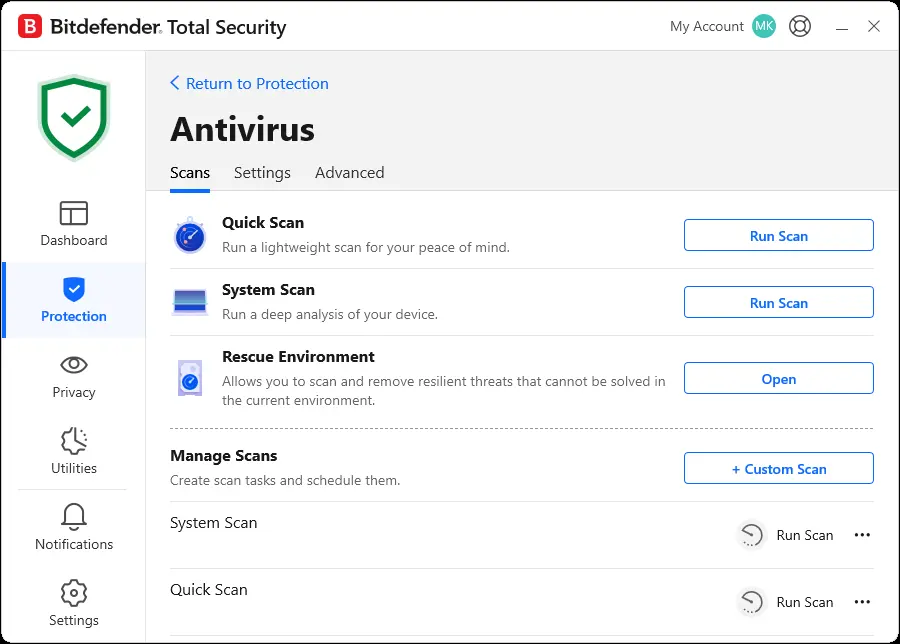
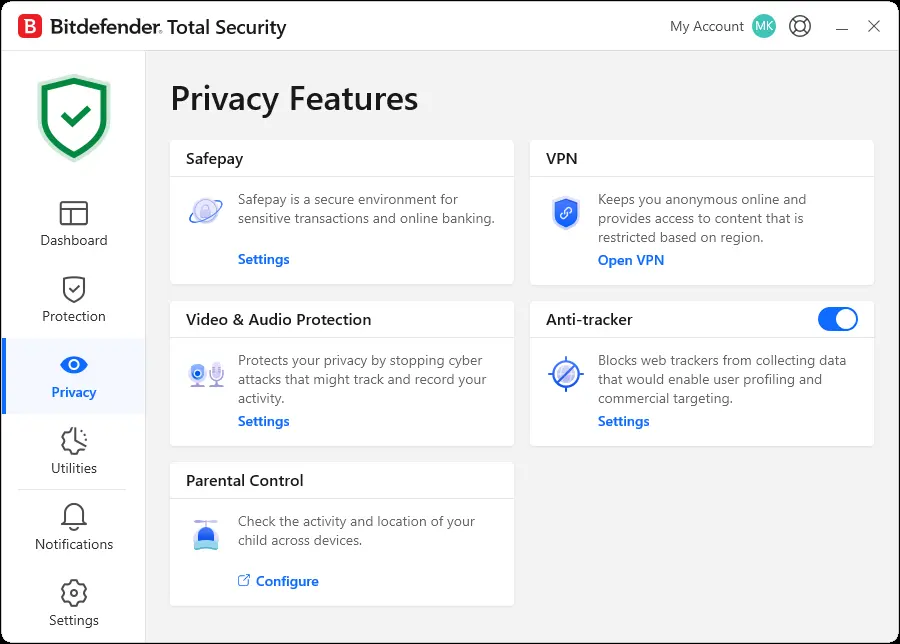
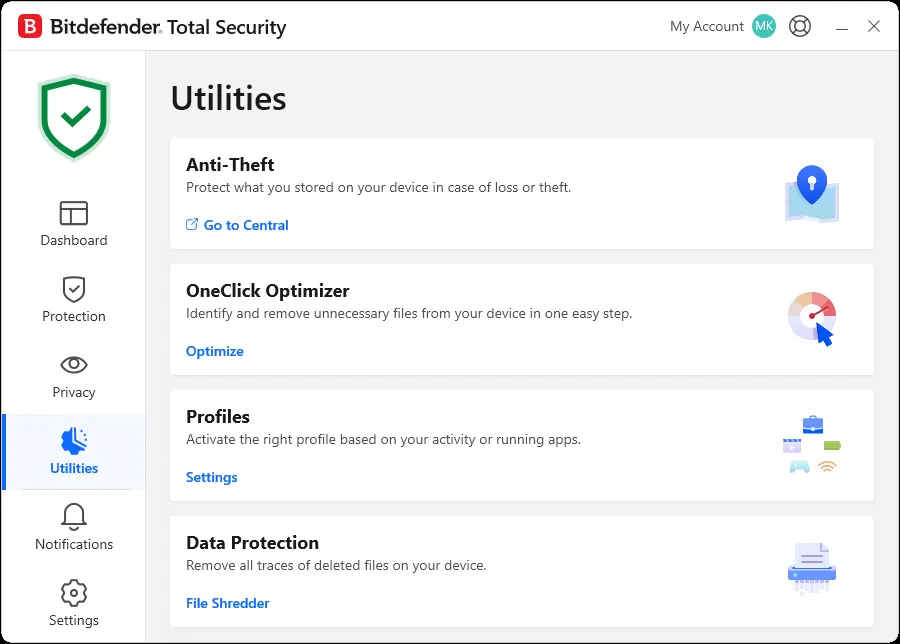
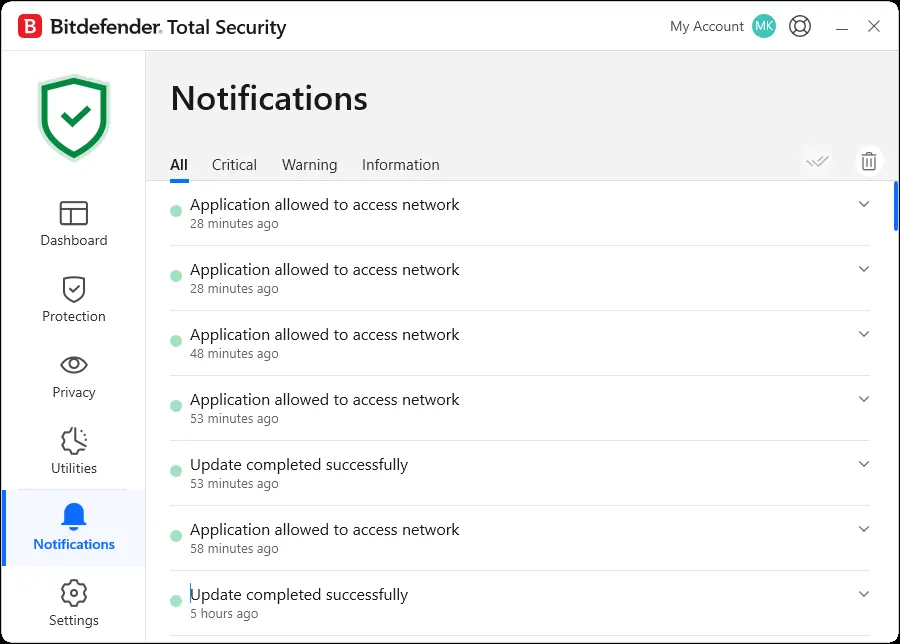
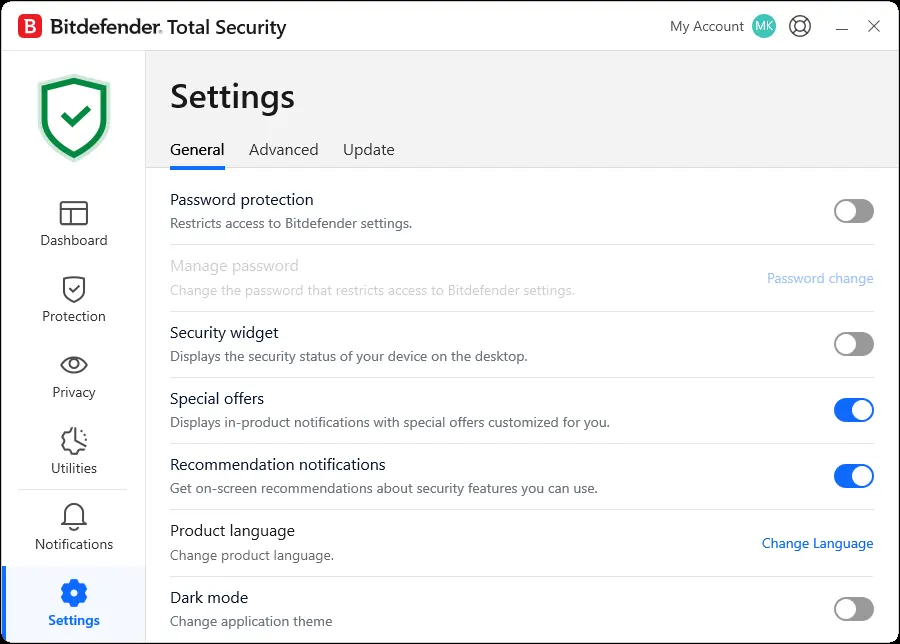
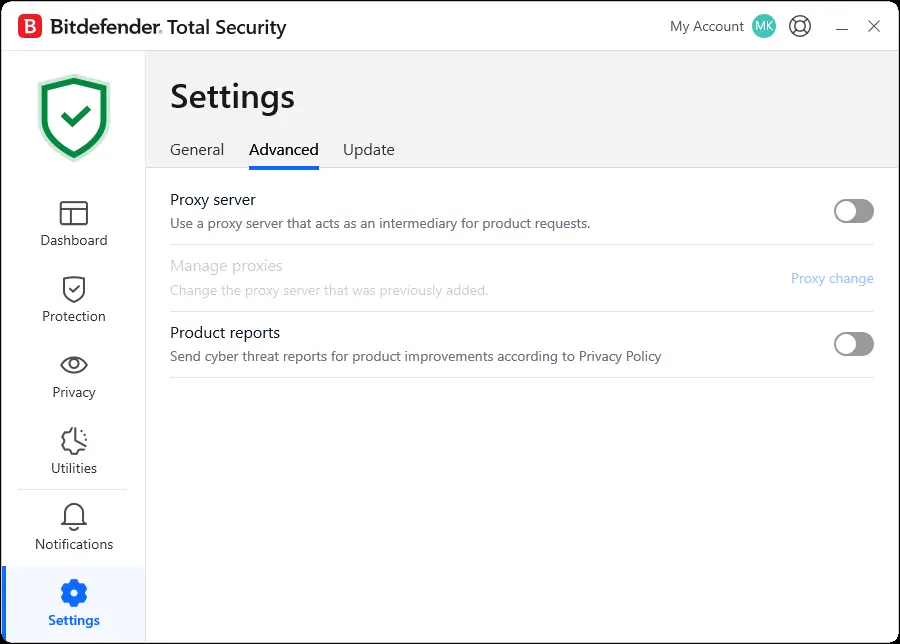
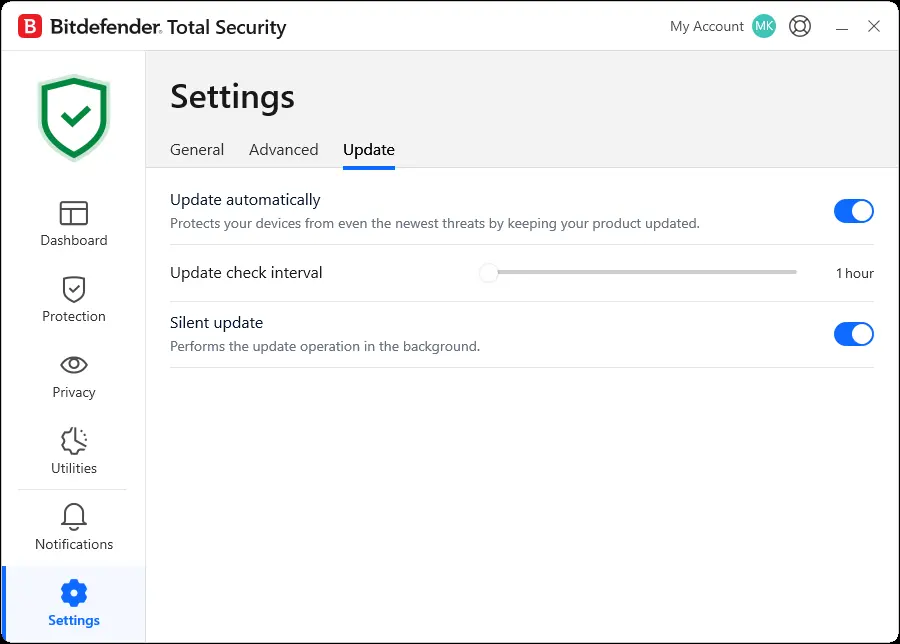
Click any image to view it full size.
Every Main Feature, Explained
Bitdefender Total Security organizes its tools into a few main sections inside the app: Protection, Privacy, and Utilities. Here is what each one actually does.
Protection Features
Advanced Threat Defense
Watches how programs behave on your computer in real time and blocks suspicious activity, even from brand new threats that have not been identified yet, sometimes called zero-day attacks. This is different from traditional antivirus scanning, which mostly looks for known threats it already recognizes.
Online Threat Prevention
Uses Bitdefender’s cloud-based network to block malicious websites and connections before they reach your device. This is the feature that caught a suspicious connection to an unfamiliar website on my own PC, covered in the Ease of Use notes below. Phishing sites are one of the most common threats it catches, so if you want to learn to spot them yourself, check out our article on: How to Spot Scam Emails.
Vulnerability Scan
Checks your system, installed apps, and network for weak spots, like outdated software or risky settings, that could give an attacker an opening. Think of it as a checkup that flags things before they become a problem.
Firewall
Monitors the connections your apps make to the internet and gives you control over what is allowed to connect in and out of your computer. This is separate from your router’s built-in protection and adds another layer specifically for your device.
Ransomware Remediation
Ransomware Remediation monitors protected files for ransomware-like activity and can automatically restore files encrypted during an attack. The feature needs to be enabled when the attack occurs, so it should be treated as an additional safety net rather than a replacement for a reliable external or cloud backup.
Cryptomining Protection
Blocks cryptojacking scripts, malicious code that secretly uses your computer’s processing power to mine cryptocurrency for someone else. Beyond the security risk, cryptojacking can slow your machine down and quietly run up your electricity bill.
Antispam
Filters junk and unwanted messages out of your email inbox if you use a local email client like Outlook or Thunderbird. This will not affect webmail like Gmail accessed through a browser.
Scam Protection
Blocks phishing sites and fake online shops in real time and can recognize emerging SMS or social media scams on supported devices. Premium Security upgrades this to Scam Protection Pro, which adds broader protection across email, chat, SMS, and the web.
Privacy Features
Safepay
Safepay is a separate, locked-down browser designed to protect sensitive browsing sessions, especially online banking and shopping. Bitdefender can detect when you visit a banking website in your regular browser and prompt you to open it in Safepay instead.
I do not use Safepay as my everyday browser, but I have tested it. It takes over your desktop with a separate Bitdefender browser and does not give you access to the bookmarks already saved in your regular browser. Safepay has its own bookmark system, so you can manually save your banking and shopping sites for future visits, but I did not find a way to directly import my existing browser bookmarks.
Because I use NordPass, I also do not have access to my saved passwords inside Safepay, which means logging in requires more manual effort. SecurePass may provide better integration for users who adopt Bitdefender’s password manager, but Safepay does not work with the password manager and saved browser credentials I already use. None of this makes Safepay difficult, but it does require some setup and works differently from your everyday browser.
SecurePass Password Manager
SecurePass is Bitdefender’s built-in password manager. It stores your login credentials in an encrypted vault, generates strong passwords, and automatically fills in usernames and passwords when you sign in to websites. It also works across supported browsers and mobile devices, so your passwords can stay available wherever you need them.
If you only need the basics, SecurePass is a convenient option because it is included with Total Security and keeps another security tool under the same Bitdefender account. I personally use NordPass as my main password manager, so I have not switched my full password vault over to SecurePass, but its inclusion adds real value for anyone who does not already use a dedicated password manager.
VPN
Encrypts your internet connection and can also unlock content restricted to certain regions. As mentioned above, I ran Bitdefender Premium Security for a while specifically to get the unlimited VPN. My take is that it works fine for everyday browsing, but there is a real, noticeable speed drop that gamers or anyone doing latency-sensitive tasks will want to know about going in. I put the unlimited version through full speed testing in a dedicated Bitdefender VPN review, so head there for the full breakdown if the VPN side is a priority for you.
Video & Audio Protection
Guards your webcam and microphone against unauthorized access, so an app or attacker cannot secretly turn them on to watch or listen without your knowledge. This has become a more common concern in recent years, and it is a nice inclusion. For more on how smart devices can quietly expose you, see our article on: Smart Home Device Privacy: What They Collect and How to Stop It (2026).
Anti-Tracker
The Anti-Tracker browser extension blocks many website trackers that collect information for advertising and profiling. Premium Security adds a more comprehensive system-wide ad blocker and anti-tracker that works beyond the browser extension.
Data Breach Detection
Checks whether your email address or personal information has turned up in a known data breach, so you can change passwords or take action before that exposed data gets used against you.
Parental Control (Family Plans Only)
Parental Control lets parents filter inappropriate content, manage internet time, create routines, review activity, and check a child’s device location. It is not included with the standard five-device Individual plan covered by this review. I have not personally used this feature, so I cannot speak to how well it works day to day.
Utilities
Anti-Theft
Managed through the Bitdefender Central app rather than the desktop software itself, this helps you locate a lost or stolen device.
OneClick Optimizer
A built-in cleanup tool that identifies and removes unnecessary files from your device. This is the kind of feature people often buy separate “PC cleaner” software for, so having it bundled in is a nice bonus.
Profiles
Automatically adjusts how the software behaves based on what you are doing, such as work, gaming, or watching a movie, so it can stay quiet and avoid interrupting you at the wrong moment while still protecting your device in the background.
Data Protection (File Shredder)
File Shredder securely deletes individual files so they are much harder to recover than files removed through a normal delete. It is useful for permanently removing sensitive documents, but it is not a replacement for properly erasing or resetting an entire device before selling, donating, or disposing of it.
Pro Tip: Bitdefender’s original Password Manager was discontinued in June 2026 and replaced by SecurePass. SecurePass is now included with Total Security, so you do not need to upgrade to Premium Security just to get a password manager. Premium Security adds the unlimited VPN, Scam Protection Pro, email protection, system-wide ad blocker and anti-tracker. Check out our Password Managers 101 article for what to look for in a password manager, or go straight to our NordPass review for my recommendation.
Scoring Breakdown
Scores are shown as percentages out of 100. The overall star rating at the top of this review is based on the average of all six categories.
Protection and Detection: 95%
This is the most important job of any antivirus, and it is where Bitdefender has quietly done its job for years. Between the real-time antivirus scanning, the firewall, ransomware remediation, and advanced threat defense, I have never had a virus or ransomware incident since I started using it. It also includes online threat protection, which watches your browser activity for shady sites and connections.
Performance: 100%
This is the category that stands out most to me. I have used other antivirus programs in the past that would slow my computer down, especially during scans. Bitdefender has never done that, at least not in any way I have noticed. It runs in the background and stays out of the way, which is exactly what you want from security software.
Features: 95%
Total Security packs in a lot for the price, covering everything from core antivirus protection to privacy tools and system cleanup utilities. You can see the full breakdown of every main feature above, but the short version is that this is one of the more complete security suites available, and most people will find more here than they will actually use.
One feature worth calling out again is Bitdefender Central. This is a companion account and mobile app that lets you manage your Bitdefender protected devices remotely, from your phone, in one place. If you run Bitdefender on more than one device, this is worth exploring since it gives you a single dashboard instead of checking each machine separately.
Total Security also rounds things out with Scam Protection, Cryptomining Protection, and Data Breach Detection. I have not received any alerts from these newer features so far, so I cannot speak to how useful their notifications are in practice.
Ease of Use: 92%
Day to day, Bitdefender is about as low-maintenance as security software gets. It installs, it runs, and it protects without asking much of you. The one place it loses a little credit is in how it communicates when it blocks something. For example, I recently got a notification that Bitdefender had blocked a suspicious connection from my Chrome browser to a website I had never heard of, because the security certificate (a kind of digital ID card websites use to prove they are who they say they are) did not match the site it was trying to reach. Bitdefender blocked it, which is exactly what it should do, but the notification did not give me much beyond the basic details. I never had it block anything I actually needed, so this has been a minor annoyance rather than a real problem, but a bit more context in these alerts would be a nice improvement.
Value for Money: 90%
Current renewal pricing runs around $109.99 for 12 months, which is in line with other major security suites. Given that it protects a device I use every day, has never caused performance issues, and has kept my machine clean for going on 7 years, I consider it money well spent. Whether it is the best deal for you depends on how many devices you plan to protect and whether you already have some of these features covered elsewhere, like a separate VPN.
Purchase and Account Experience: 95%
In 7 years of using Bitdefender, I have never had a reason to contact customer support directly. The software just works quietly in the background without generating problems that would require reaching out. My only interactions with Bitdefender as a company have been at initial purchase and at renewal time, and both have always been smooth without billing issues or account hassles. I cannot speak to what it is like working with a live agent on an actual support ticket, since I have simply never needed one, but that lack of need says something on its own.
Pro Tip: Total Security does not include identity theft monitoring. That requires stepping up to Ultimate Security or higher. If protecting your identity matters to you, our Identity Theft 101 guide covers what to look for, whether you go with one of Bitdefender’s higher tiers or a separate service.
Who Bitdefender Total Security Is For
This is a solid choice if you want antivirus software that works quietly in the background without slowing your computer down, and you like having extra tools like a firewall and vulnerability scanner bundled in rather than managed separately. It is also a good fit if you want the option to manage multiple devices from one account through Bitdefender Central.
Who Should Skip It
If you already have a security suite you are happy with, you may not need to switch. If you are a gamer or heavy VPN user who needs top speeds, Bitdefender’s built-in VPN is not going to cut it, so you will want to pair Total Security with a separate, dedicated VPN service instead of relying on the one bundled in.
Final Thoughts
I have it, I use it, and I recommend it for home users. Nearly seven years of daily use with no known virus or ransomware infections. Whether I’m working, gaming, or testing out some new software tool, my computer has never once felt weighed down. That is the kind of track record a spec sheet cannot fake. Bitdefender Total Security earned its 4.75 out of 5 the hard way, through real, everyday use, not a lab demo. If you want antivirus software that just works, this is one worth considering.
Ready to get started? Check out Bitdefender Total Security or upgrade to Bitdefender Premium Security if you want unlimited VPN traffic, Scam Protection Pro, Email Protection, and system-wide ad blocking and anti-tracking.
Bitdefender Total Security FAQs
Is Bitdefender Total Security good for gaming, or will it slow down my PC?
In my experience, Bitdefender Total Security runs quietly in the background without any noticeable slowdown, even during scans. Bitdefender also includes a Profiles feature that adjusts its behavior based on what you are doing, including gaming, so it can stay out of the way during more demanding activities.
Does Bitdefender Total Security include a VPN?
Yes, but with a limit. Total Security includes a VPN capped at 200 MB per day, per device, which is fine for occasional use but not enough for streaming or all day browsing. Unlimited VPN access requires upgrading to Premium Security or a higher tier. See the plan comparison table above for details.
Will Bitdefender conflict with Windows Defender?
No. Like most third party antivirus programs, Bitdefender takes over as your primary antivirus and automatically manages Windows Defender so the two do not run in conflict with each other. You do not need to manually disable anything. If you want a closer look at what Windows Defender does on its own, check out our: Is Windows Defender Enough article.
How many devices can I protect with Bitdefender Total Security?
Total Security covers up to 5 devices on a single subscription, which covers most households running a mix of computers.
Does Bitdefender Total Security really protect against ransomware?
Yes. Bitdefender combines behavioral threat detection with Ransomware Remediation, which can create protected copies of affected files and restore them after a ransomware attack is blocked. Ransomware Remediation needs to be enabled when the attack occurs, and it should be treated as an additional safety net rather than a replacement for reliable backups.
What is Bitdefender Central, and do I need to use it?
Bitdefender Central is a free companion account and mobile app that lets you manage your protected devices remotely from your phone. You do not need it to use Total Security day to day, but it is useful if you want to check device status, manage settings, or use Anti-Theft features from your phone.
Is Bitdefender Total Security worth it compared to free antivirus software?
Free antivirus software can cover the basics, but Total Security adds features like a firewall, ransomware remediation, vulnerability scanning, Safepay for banking, and a bundled VPN, all of which most free options do not include. Based on nearly 7 years of daily use with no virus or ransomware incidents, I consider the added protection worth the cost.
How much does Bitdefender Total Security cost to renew each year?
Renewal pricing changes from year to year and typically runs higher than the discounted first year rate. My most recent renewal for Total Security was $106.99 for 12 months. Always check Bitdefender’s site directly for current pricing before renewing.
Antivirus software works best when it is actually the right fit for how you use your computer. If this review helped you decide whether Bitdefender Total Security makes sense for you, share it with someone comparing security software right now.

Michael Kendrick
Director of IT and former Certified Registered Locksmith with 27 years in technology and cybersecurity. Practical, everyday guidance to help you protect everything from the locks on your doors to the logins on your accounts.
Keep Learning: Related Security Guides

Bitdefender VPN Review 2026: Honest Test Results and Verdict
Bitdefender VPN is simple and affordable, but it’s not for everyone. This review breaks down real performance, pros, cons, and who should actually use it.

Identity Theft 101: How to Protect Yourself
Identity theft affected over 1.1 million Americans in 2024 alone. This plain-English guide explains how identity theft happens, the warning signs to watch for, and the exact steps you can take

Password Managers 101: What They Are and How They Work
Not sure what a password manager is or how it keeps your passwords safe? This plain-language guide breaks down exactly how they work, what encryption means for your security, and how