
How to Spot AI Scams: Deepfakes, Voice Cloning, and the Red Flags Most People Miss
AI scams use deepfakes, AI voice cloning, and fake identities to steal billions. Learn how these scams work and how to protect your family from fraud.

Online security doesn’t have to be complicated. Explore clear guides, trusted tools, and practical tips that help you protect your accounts, devices, and personal information.
Online security touches almost every part of modern life. Your bank account, email, shopping history, and social media profiles all contain personal information that criminals actively look for. The risks are real, but protecting yourself does not require a computer science degree.
A few simple habits go a long way. Using strong, unique passwords, turning on two-factor authentication (that is where a site verifies it is really you before letting you in), and securing your home Wi-Fi network can dramatically reduce your chances of being hacked or having your identity stolen.
This section of Locks to Logins focuses on the practical side of online security explained in plain language. No jargon and no scare tactics. Just the habits, tools, and strategies that actually help everyday people stay safer online.
Start with the 101 guides if you are new to online security and protecting your digital life. Those guides cover the basics of keeping your accounts, devices, and personal information secure. Once you have the essentials covered, dig into the sections on common threats, device security, and the tools worth knowing about.
Together these guides create a simple roadmap for building stronger online security habits, with no technical background required.
If you only remember a few things about online security, start with these core habits that prevent many common hacks and identity theft.
These simple steps prevent many of the most common account compromises and identity theft problems.
If you are new to online security, this is the right place to begin. These 101 guides cover the core building blocks that everything else is built on. Get these right and you are already ahead of most people.
Learn what a password manager is, how it works, and why using one is the easiest way to stay secure online. A clear, beginner-friendly guide to protecting your accounts the smart way. Read More >>

Passwords are the keys to your entire digital kingdom. Learn to create strong, memorable passwords, use a password manager, and add 2FA to protect your most important accounts. Read More >>
Two-Factor Authentication (2FA) explained: why it matters, how it works, and the best 2FA methods from SMS to authenticator apps and security keys. Read More >>
A simple starter guide that explains how identity theft happens, how to spot the warning signs, and the steps you can take to keep your personal information safe. Read More >>
Your accounts are only as safe as the devices and networks you use to access them. These guides help you close the gaps that people most commonly overlook, starting right at home.

A few small changes can make a big difference in your Wi-Fi security. Learn how to protect your home network, boost performance, and keep cybercriminals out with these practical steps. Read More >>

A VPN creates a private, encrypted tunnel for your activity. Learn how it protects privacy, which features matter, and how to stay secure on public Wi-Fi or while traveling. Read More >>

Smart devices make life more convenient, but they can also be a little chatty. Learn how your gadgets might be sharing more than you expect and how you can cut down on their digital gossip. Read More >>
Small mistakes can have big consequences online. These guides each focus on one common issue and walk you through exactly how to fix it, without a lot of technical headaches.

Learn how to tell if your email has been hacked. Spot the warning signs, check if your account was exposed in a breach, and take quick steps to secure it. Read More >>
Email scams have become smarter, cleaner, and harder to detect. Learn how to recognize the warning signs, avoid clicking on dangerous links, and protect yourself from the latest online scams. Read More >>

Photos can reveal more than what’s in the picture. Learn how to find and remove hidden metadata to protect your privacy before sharing images online. Read More >>
There is no shortage of security tools out there, but most people only need a handful of good ones. These are the tools I have tested and actually recommend, chosen for how well they work in the real world, not just on a spec sheet.

An honest breakdown of NordPass, covering encryption, ease of use, syncing, and the overall password management experience. Read More >>
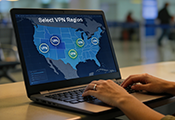
Our full evaluation of NordVPN’s security, performance, and day-to-day reliability, with clear scores and independent testing results. Read More >>
Every situation is different, and the security tools that are right for you depend on your current setup. These are other products I have tested and reviewed that may be a good fit depending on your specific needs.

An in-depth Bitdefender VPN review covering speed, privacy, features, pricing, and real-world performance. See who it’s best for and who should skip it. Read More >>
Go beyond the essentials and dive deeper into all of our online security and privacy topics, all in one place.
New threats, updated tools, and fresh practical advice. Stay current with the latest guides, reviews, and privacy tips published here on Locks to Logins.
AI scams use deepfakes, AI voice cloning, and fake identities to steal billions. Learn how these scams work and how to protect your family from fraud.
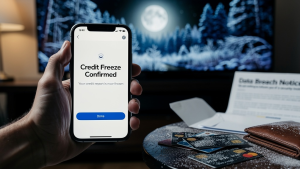
Learn how a credit freeze protects you after identity theft, how to set one up fast, and when to use it to stop criminals from opening accounts in your name.

Learn how to tell if your email has been hacked. Understand the warning signs, check if you’ve been breached, and secure your account immediately.
Have a question about staying safe online? These are some of the most common questions readers ask, answered in plain language without the technical runaround.
The first step is always changing your router’s default password, since those are easy for attackers to guess. Make sure your network uses WPA3 or WPA2 encryption, turn off remote management, and keep your router updated with the latest firmware to stay protected.
Look for strange sender addresses, spelling mistakes, and unexpected attachments. Scam emails often try to create a sense of urgency to get you to click something quickly. For a simple walkthrough, see my guide How to Spot Scam Emails.
Yes. Most phones add hidden GPS data to every photo, which can show where and when it was taken. You can remove this information easily by following my guide: Stop Oversharing: Remove Hidden Data from Photos.
Yes. A VPN keeps your internet activity private from apps, websites, and your internet provider. It is also very useful when you use public Wi-Fi. If you want a beginner overview, check out VPN 101: Keeping Your Business Your Business.
Use a password manager and enable two-factor authentication (2FA). These two steps alone prevent most account compromises.
Many devices collect more information than people expect, including voice data, usage habits, or location details. Adjusting permissions, turning off features you do not need, and keeping devices updated helps limit what they collect. For more details, see Smart Devices: The Biggest Gossips in the House.
Get practical security tips and security-related product updates delivered straight to your inbox. You’ll only get helpful content, we never share or sell your information, and we promise to make unsubscribing easy if you ever decide to stop.
If you also want to tighten up your home’s physical security as well, explore the Home Security section for practical, easy-to-follow guidance.