Online Security Made Simple

Build stronger digital security with clear guides, trusted tools, and practical advice for protecting your accounts, devices, privacy, and personal information.

Table of Contents

Protect Your Digital Life With Practical Steps

Your email, bank accounts, social media, shopping accounts, and personal devices hold more private information than most people realize. Criminals know this, which is why stolen passwords, scam messages, fake websites, and identity theft have become so common.

The good news is that you do not need to be a technology expert to protect yourself. A few practical habits, such as using unique passwords, turning on two-factor authentication, keeping your devices updated, and recognizing suspicious messages, can prevent many of the most common online attacks.

Locks to Logins explains online security in plain language, without unnecessary jargon or scare tactics. These guides will help you protect your accounts, devices, personal information, and home network using steps that everyday people can actually follow.

Quick Online Security Checklist

You can greatly improve your online security by starting with these core habits:

  • Use a strong, unique password for every important account
  • Turn on two-factor authentication whenever it is available
  • Secure your home Wi-Fi network and change default passwords
  • Keep your computers, phones, apps, and browsers updated
  • Be cautious with unexpected links, attachments, and requests
  • Review the privacy and security settings on your important accounts

These steps will not eliminate every risk, but they can prevent many common account compromises, scams, and identity theft problems. Not sure how well protected you are? Use the free Online Security Assessment below to find your biggest security gaps and the most important steps to take next.

See How Secure You Really Are

Take the free Online Security Assessment to uncover your biggest risks and get personalized steps to improve your protection. No signup required. Completely free. No gimmicks.

Start With the Essentials

If you are new to online security, this is the right place to begin. These 101 guides cover the core building blocks that everything else is built on. Get these right and you are already ahead of most people.

Learn what a password manager is, how it works, and why using one is the easiest way to stay secure online. A clear, beginner-friendly guide to protecting your accounts the smart way. Read More >>

Passwords are the keys to your entire digital kingdom. Learn to create strong, memorable passwords, use a password manager, and add 2FA to protect your most important accounts. Read More >>

Two-Factor Authentication (2FA) explained: why it matters, how it works, and the best 2FA methods from SMS to authenticator apps and security keys. Read More >>

A simple starter guide that explains how identity theft happens, how to spot the warning signs, and the steps you can take to keep your personal information safe. Read More >>

Secure Your Home and Devices

Your accounts are only as safe as the devices and networks you use to access them. These guides help you close the gaps that people most commonly overlook, starting right at home.

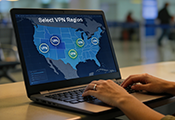
A VPN creates a private, encrypted tunnel for your activity. Learn how it protects privacy, which features matter, and how to stay secure on public Wi-Fi or while traveling. Read More >>

Smart devices make life more convenient, but they can also be a little chatty. Learn how your gadgets might be sharing more than you expect and how you can cut down on their digital gossip. Read More >>

Windows Defender provides solid built-in protection, but it may not cover every home user’s needs. See what it does well, where it falls short, and when antivirus like Bitdefender may be worth adding. Read More >>

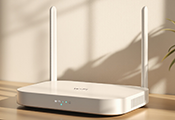
A few small changes can make a big difference in your Wi-Fi security. Learn how to protect your home network, boost performance, and keep cybercriminals out with these practical steps. Read More >>

Fix These Common Online Security Problems

Small mistakes can have big consequences online. These guides each focus on one common issue and walk you through exactly how to fix it, without a lot of technical headaches.

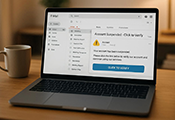
Learn how to tell if your email has been hacked. Spot the warning signs, check if your account was exposed in a breach, and take quick steps to secure it. Read More >>

Email scams have become smarter, cleaner, and harder to detect. Learn how to recognize the warning signs, avoid clicking on dangerous links, and protect yourself from the latest online scams. Read More >>

AI scams use deepfakes, voice cloning, and fake identities to steal money. Learn the warning signs and how to protect your family. Read More >>

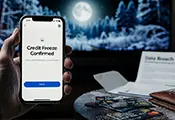
A credit freeze can stop identity thieves from opening new accounts in your name. Learn how to freeze and unfreeze your credit for free with all three credit bureaus. Read More >>

Trusted Tools I Recommend

There is no shortage of security tools out there, but most people only need a handful of good ones. These are the tools I have tested and actually recommend, chosen for how well they work in the real world, not just on a spec sheet.

An honest breakdown of NordPass, covering encryption, ease of use, syncing, and the overall password management experience. Read More >>

A full evaluation of NordVPN’s security, performance, and day-to-day reliability, with clear scores and independent testing results. Read More >>

Additional Tools and Reviews

Every situation is different, and the security tools that are right for you depend on your current setup. These are other products I have tested and reviewed that may be a good fit depending on your specific needs.

An in-depth Bitdefender VPN review covering speed, privacy, features, pricing, and real-world performance. See who it’s best for and who should skip it. Read More >>

Nearly 7 years of real-world Bitdefender Total Security use. See current pricing, features, performance, plan differences, and honest pros and cons. Read More >>

Complete Online Security Library

Go beyond the essentials and dive deeper into all of the online security and privacy topics, all in one place.

Latest Online Security and Privacy Articles

New threats, updated tools, and fresh practical advice. Stay current with the latest guides, reviews, and privacy tips published here on Locks to Logins.

Online Security FAQ

Have a question about staying safe online? These are some of the most common questions readers ask, answered in plain language without the technical runaround.

How do I know if my home Wi-Fi is secure?

The first step is always changing your router’s default password, since those are easy for attackers to guess. Make sure your network uses WPA3 or WPA2 encryption, turn off remote management, and keep your router updated with the latest firmware to stay protected.

Look for strange sender addresses, spelling mistakes, and unexpected attachments. Scam emails often try to create a sense of urgency to get you to click something quickly. For a simple walkthrough, see my guide How to Spot Scam Emails.

Many phones can add hidden location data to photos when camera location services are enabled. That information may reveal where and when a picture was taken, but you can review or remove it before sharing the photo online. Check out our guide: Stop Oversharing: Remove Hidden Data from Photos.

A VPN can hide your browsing traffic from your internet provider and provide extra protection on public Wi-Fi. It does not make you anonymous or prevent websites and apps from tracking you, but it can be useful for people who want an additional layer of privacy. If you want a beginner overview, check out VPN 101: Keeping Your Business Your Business.

Use a password manager and enable two-factor authentication. Together, these two steps can block many of the most common account attacks.

Many devices collect more information than people expect, including voice data, usage habits, or location details. Adjusting permissions, turning off features you do not need, and keeping devices updated helps limit what they collect. For more details, see Smart Home Device Privacy: What They Collect and How to Stop It

Stay Informed About Online Security

Get practical security tips and product updates delivered straight to your inbox. You’ll only receive helpful content, your information will never be shared or sold, and you can unsubscribe at any time.

If you want to tighten up your home’s physical security too, explore the Home Security section for practical, easy-to-follow guidance.